
Keep field work moving and safety in sync.
Reldro helps subcontractors coordinate crews, daily work, and safety workflows across every jobsite, from assigned tasks and equipment checks to permits, JHAs, and follow-up. Field teams know what needs doing, while the office can see what’s happening.


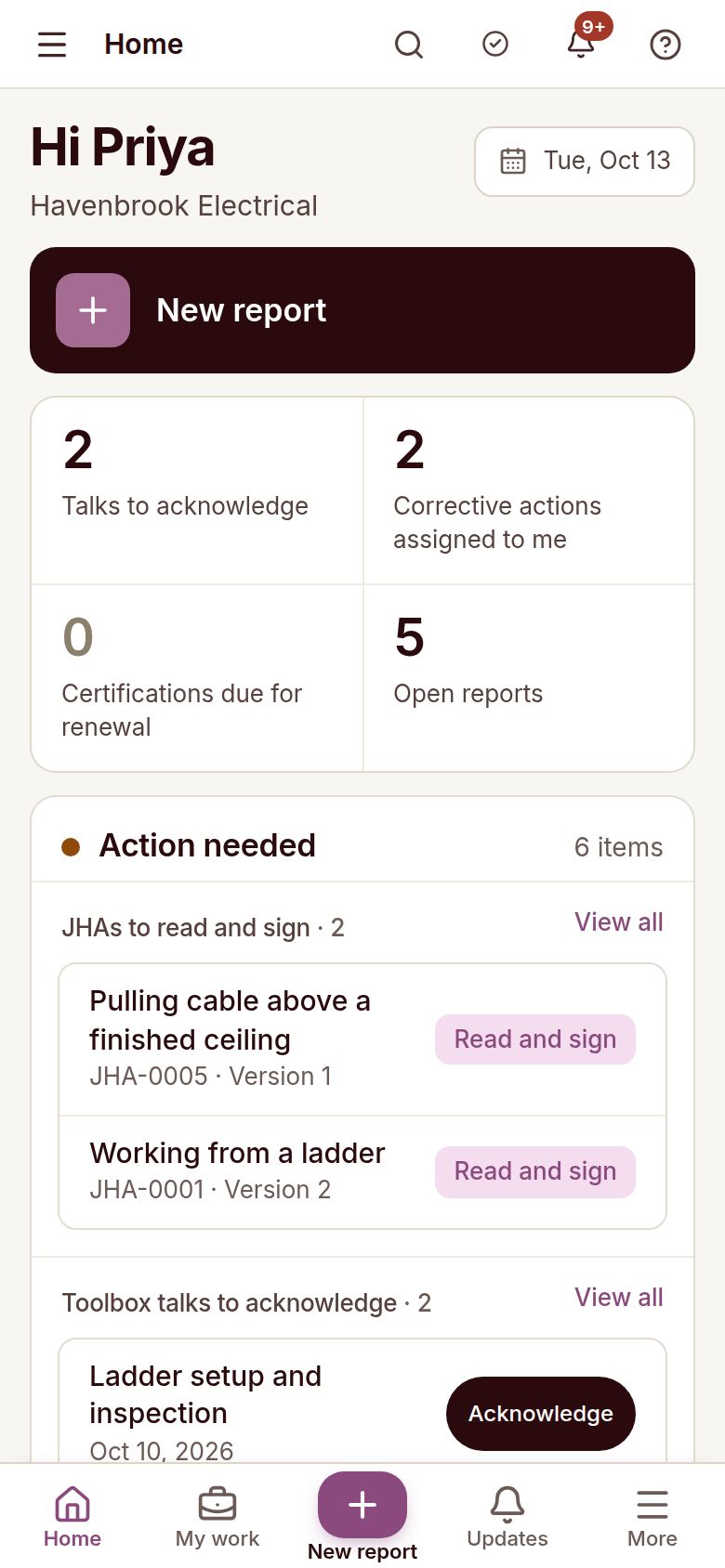
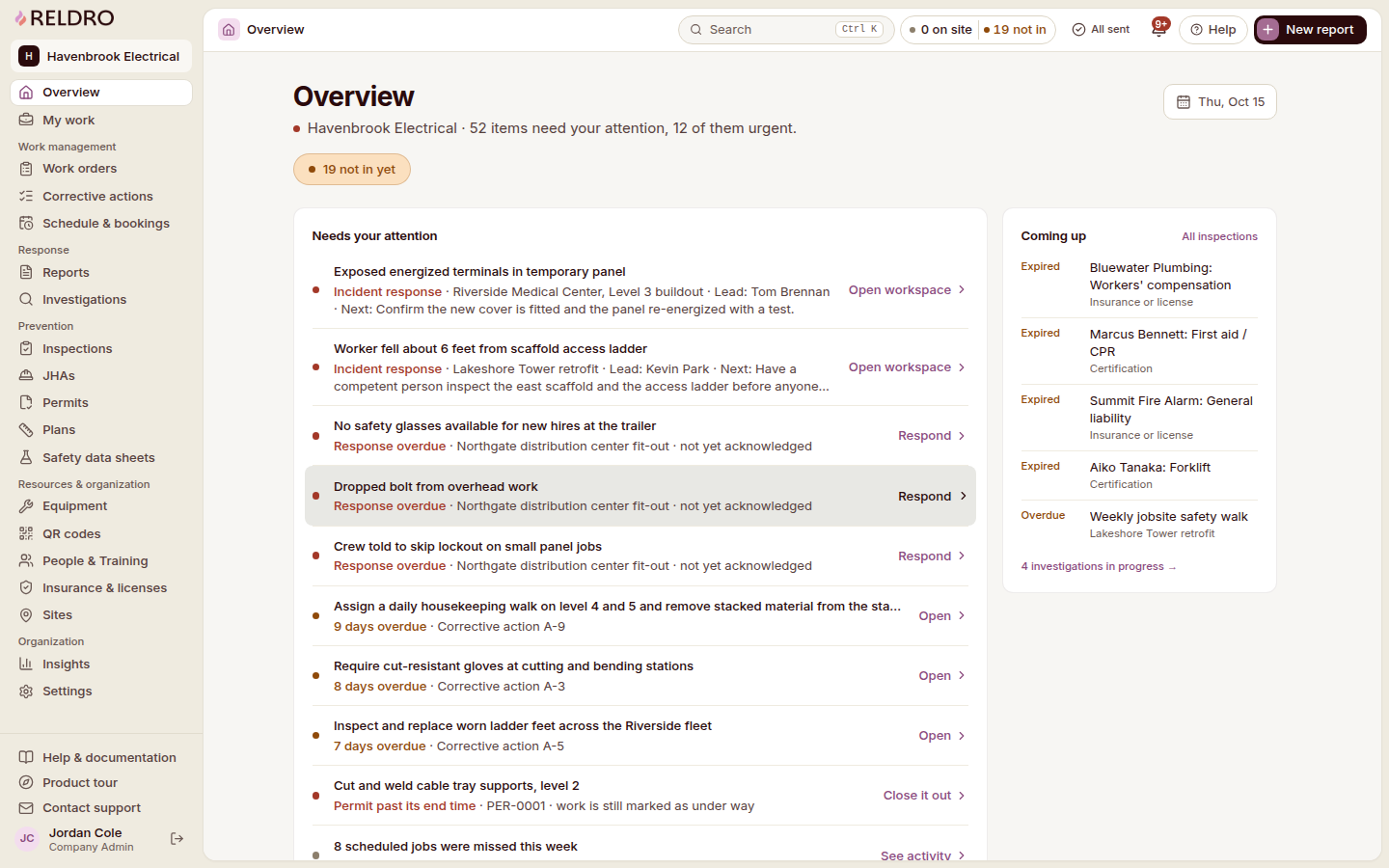




From fragmented to connected
Keep your field tasks and office follow-up connected
An end-to-end platform that keeps the day’s work connected, from field updates to safety reports and follow-up. Supporting paperwork stays with the job, so everyone can see what’s happening in one place.
- FieldKeep your assigned work and checks together
Give your crews one place to see assigned tasks, report issues, complete equipment checks and submit documents from your jobsites.
- OperationsSee your field priorities and office follow-up
Review your work orders, inspections, permits, equipment and credentials together. Your field supervisors and office can see what needs attention and coordinate with your hiring contractors.
- AccountabilityAssign each action and track its review
Set owners and due dates for your follow-up, and keep each action linked to the original issue. Review the completed work before you close it.
- RecordsKeep your work records and evidence together
Keep your insurance certificates, licenses, updates and completion evidence with each record so you can answer requests from your hiring contractors without searching messages and spreadsheets.
Keep your daily work and records together
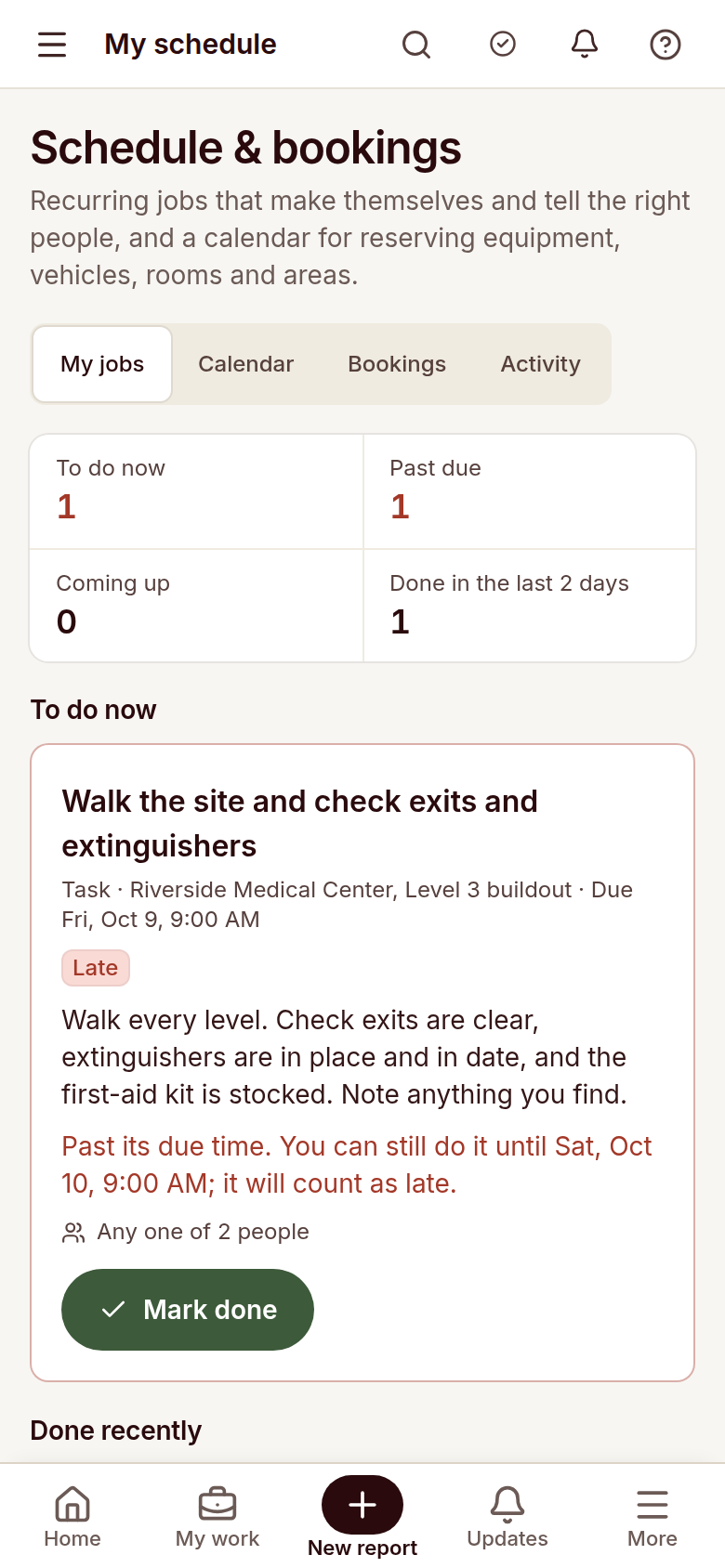
Work orders, schedules, equipment checks, permits and safety paperwork stay connected to the right job. Crews start the day on their phones, while the office keeps priorities, documents and follow-ups in one place.
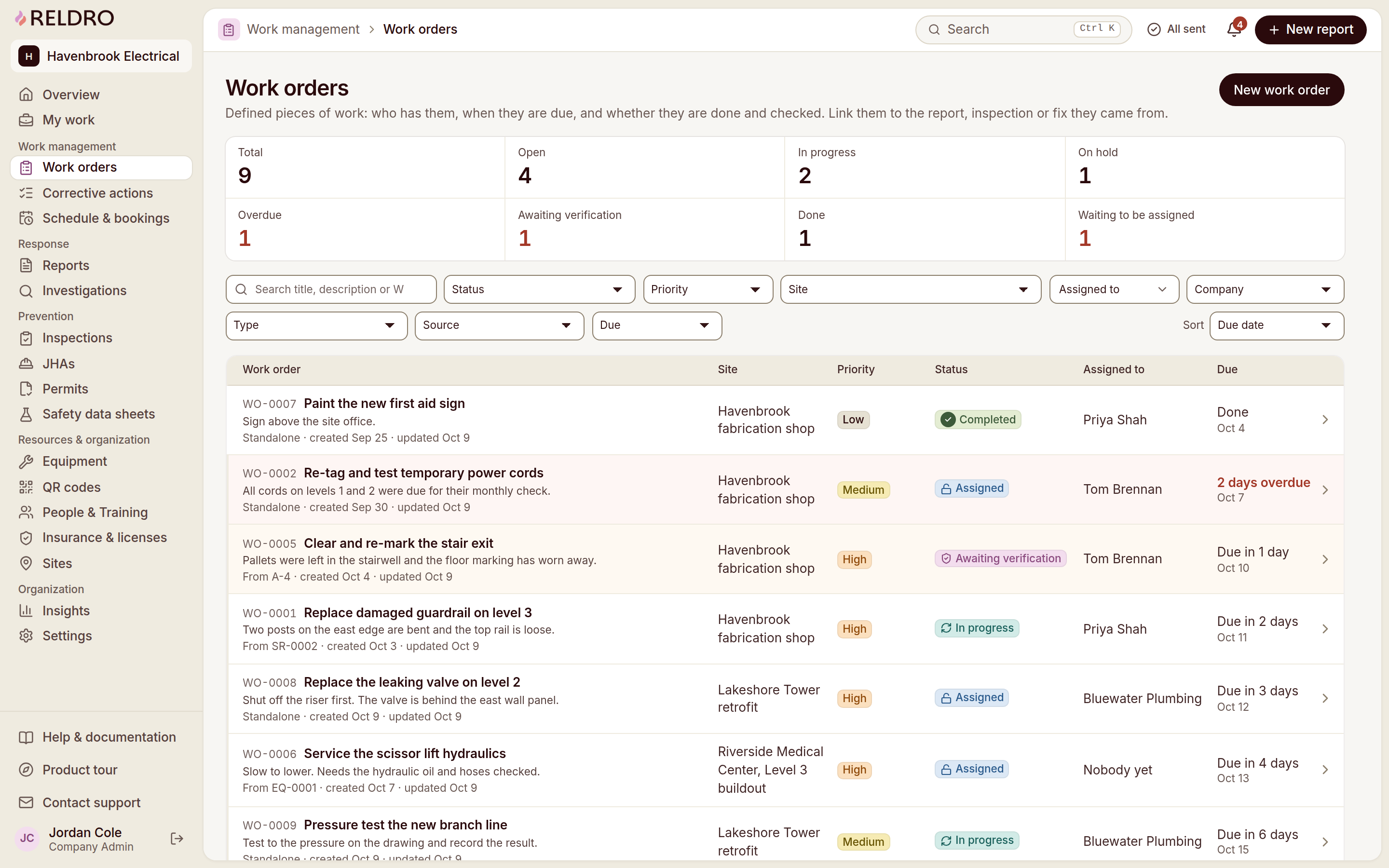
Work orders
Assign your daily work and track its review
Assign the job to a person, a crew or a company you work with, with instructions, photos and a due date attached. Your crews see what is theirs today, and your office sees what is open, overdue or ready to verify.
- Assign your work
Give a person, crew or company the instructions, photos and due date for your job.
- Track your job status
See your open, in-progress, ready-to-verify and completed work together, with overdue items highlighted.
- Keep your job context
Keep your notes, documents, reminders and discussion with the job so your crews can find the background.
- Reuse your work instructions
Start your next recurring job with saved instructions, priority, due date and checklist, then adjust the details for that assignment.
SUBCONTRACTOR MANAGEMENT
Keep document requests and company reviews connected.
Keep your own insurance, licenses and method statements current, and collect the same from the companies you hire. Private links and broker requests bring records in, and your review queue shows what is current, what is expiring and what is still missing.
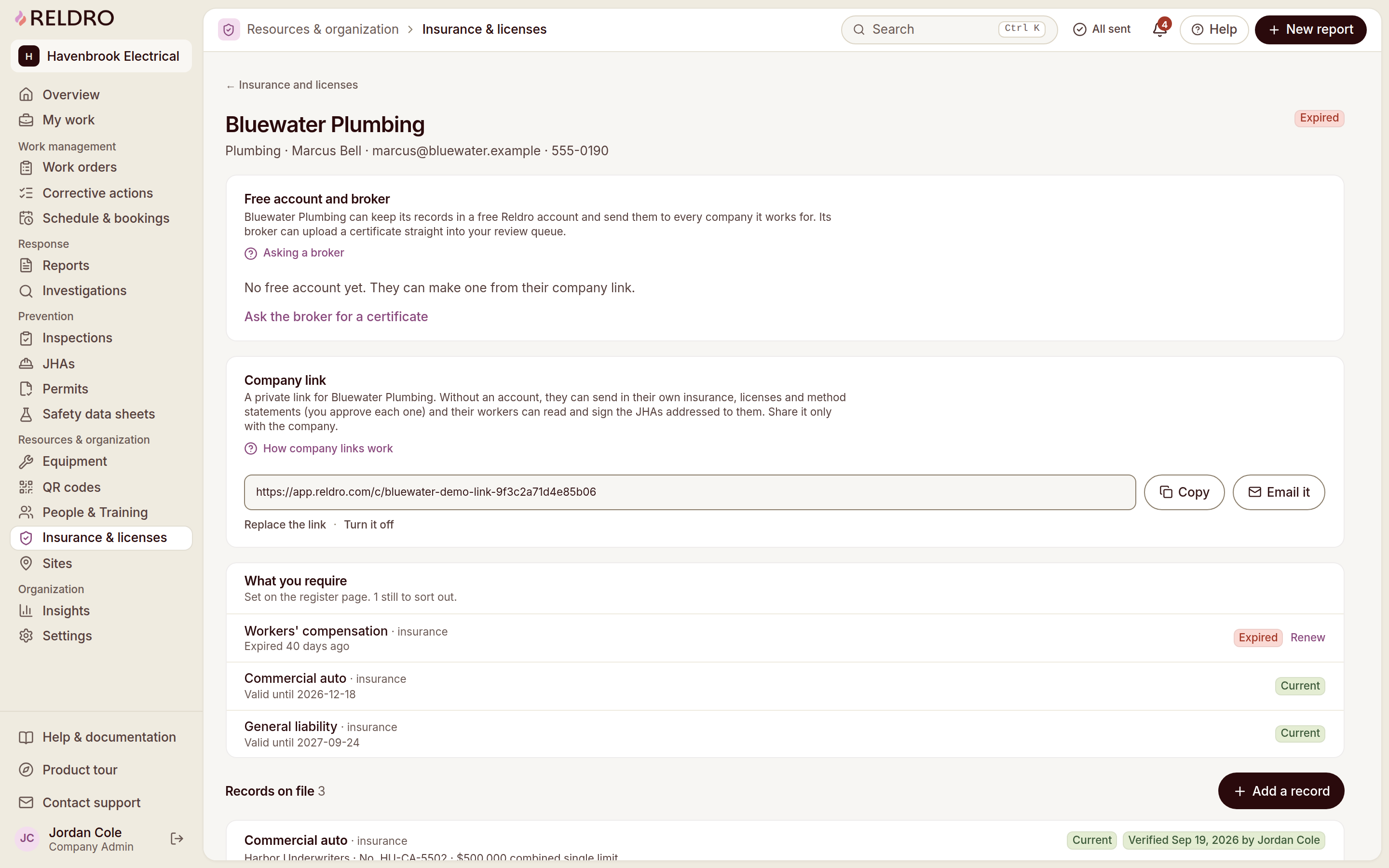
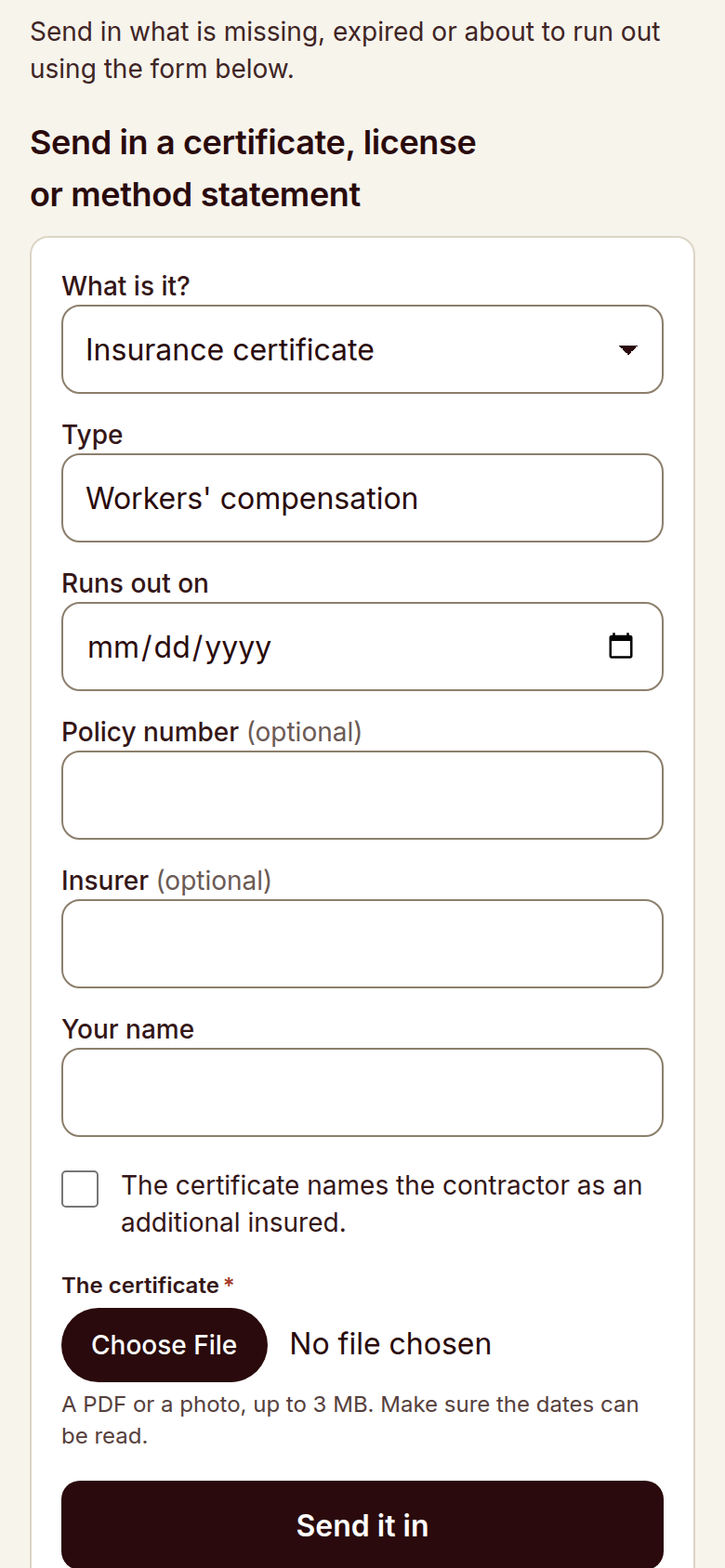
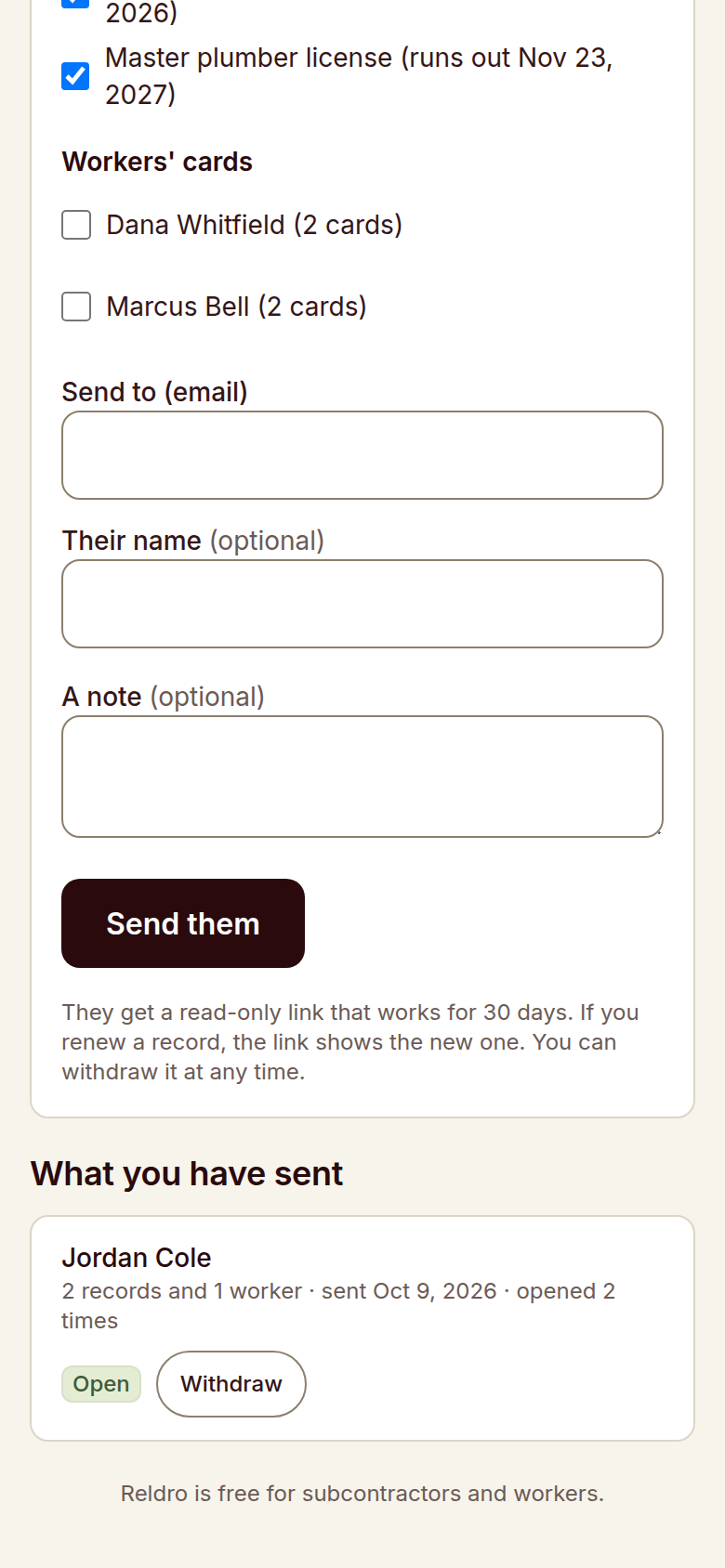
Request company records
Send a company or broker a private link to upload records without an account.
Request broker certificates
Ask a broker to send a certificate straight into the review queue.
Share reusable records
Free accounts hold reusable insurance, licenses and worker cards for sharing with different hiring companies.
Review submitted documents
Check each company’s records, missing items and expiry dates; certificates stay pending until reviewed.
Reports and corrective actions
Track each reported issue and its fix
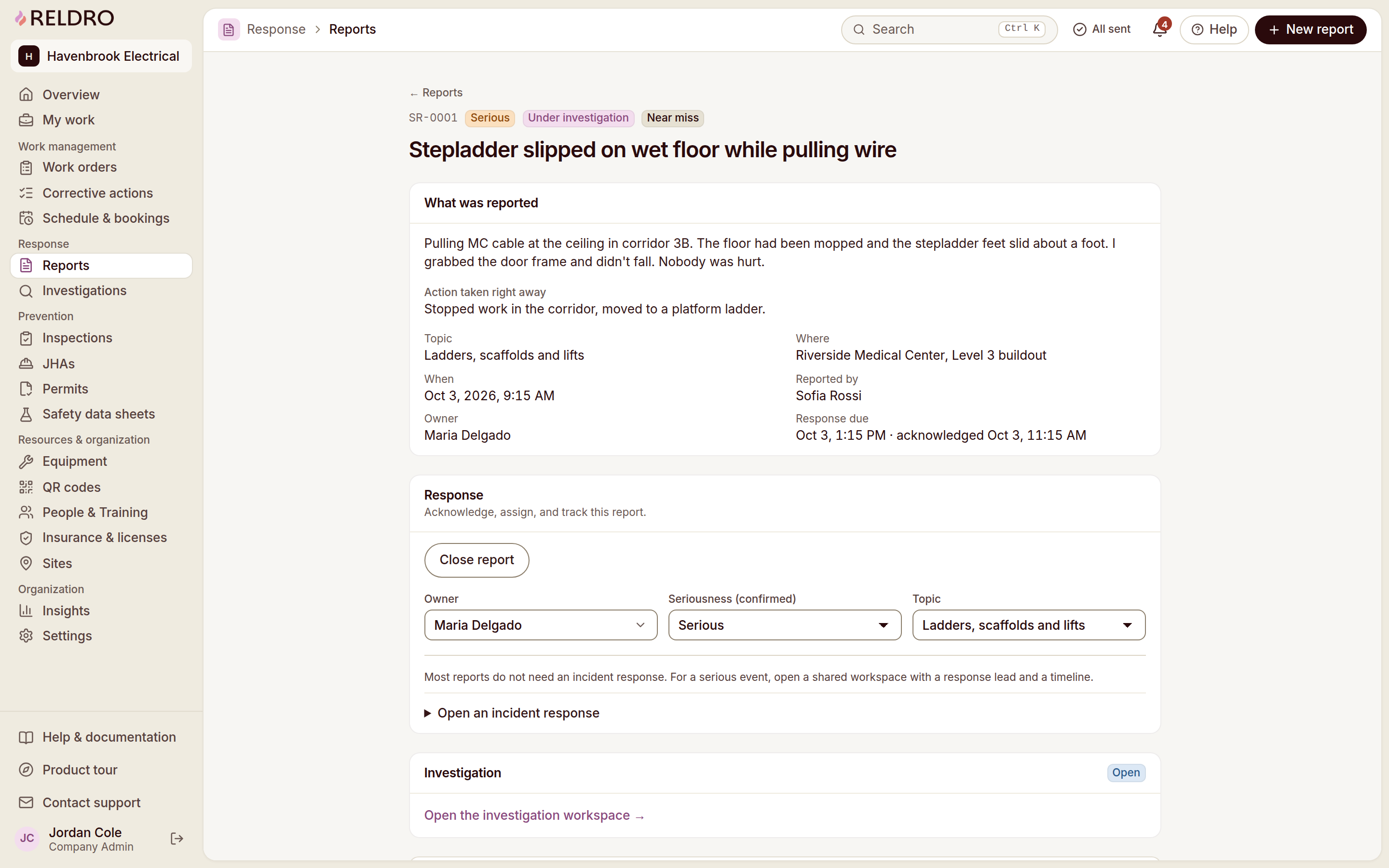
A worker raises what they found from the phone. Your safety manager reviews it, sets an owner and a due date, then verifies the fix before the record closes, with the report, the action and the evidence kept together.
- Record your findings
Report a safety concern, incident, equipment issue or other finding with its location, time and photos.
- Assign your next step
Give your action an owner and due date while keeping the original finding available in the record.
- Document your fix
Add your notes and photos to show what changed and answer reviewer questions.
- Track your action reviews
Keep your open, in-progress and ready-to-verify actions separate from completed reviews.
Reldro helps your team coordinate the response. It does not contact emergency services or guarantee response times.
See corrective actions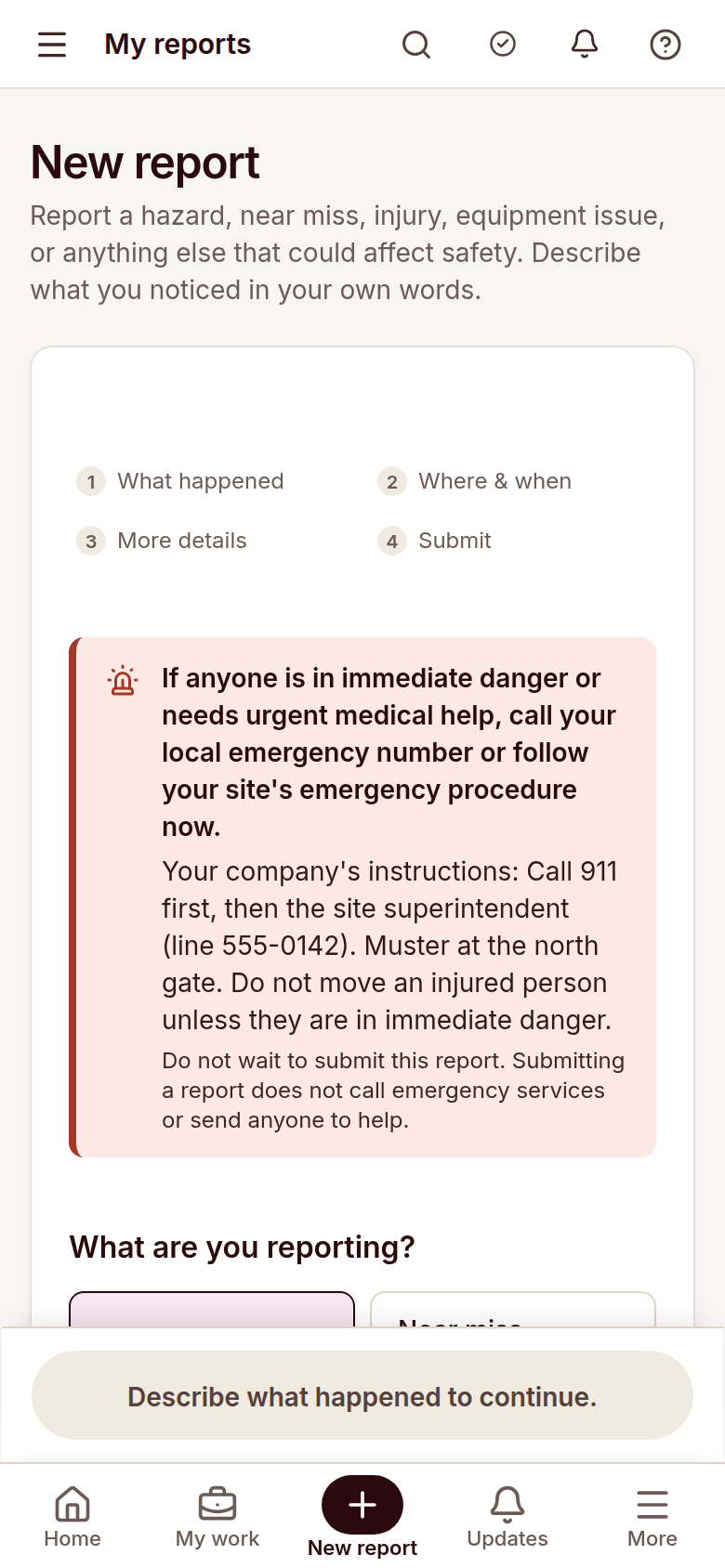
Offline & sync
Keep construction site work moving when the signal drops.
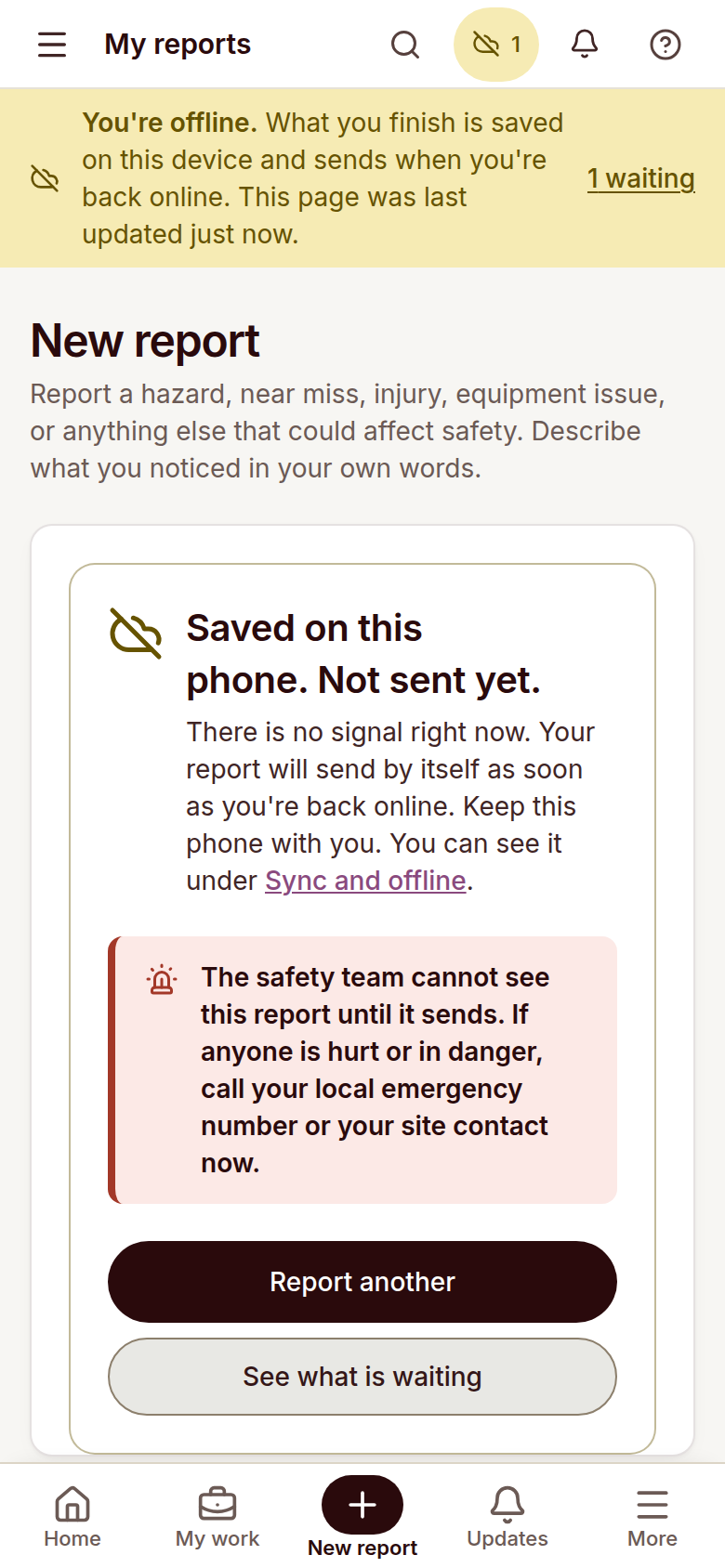
Pages already saved stay readable without signal, and crews can still file reports, checks, task completions and JHA signatures. Finished work sits in an outbox and sends with its original completion time once the connection returns.
Save field reports
A report saves to the device when there is no connection.
Check report delivery
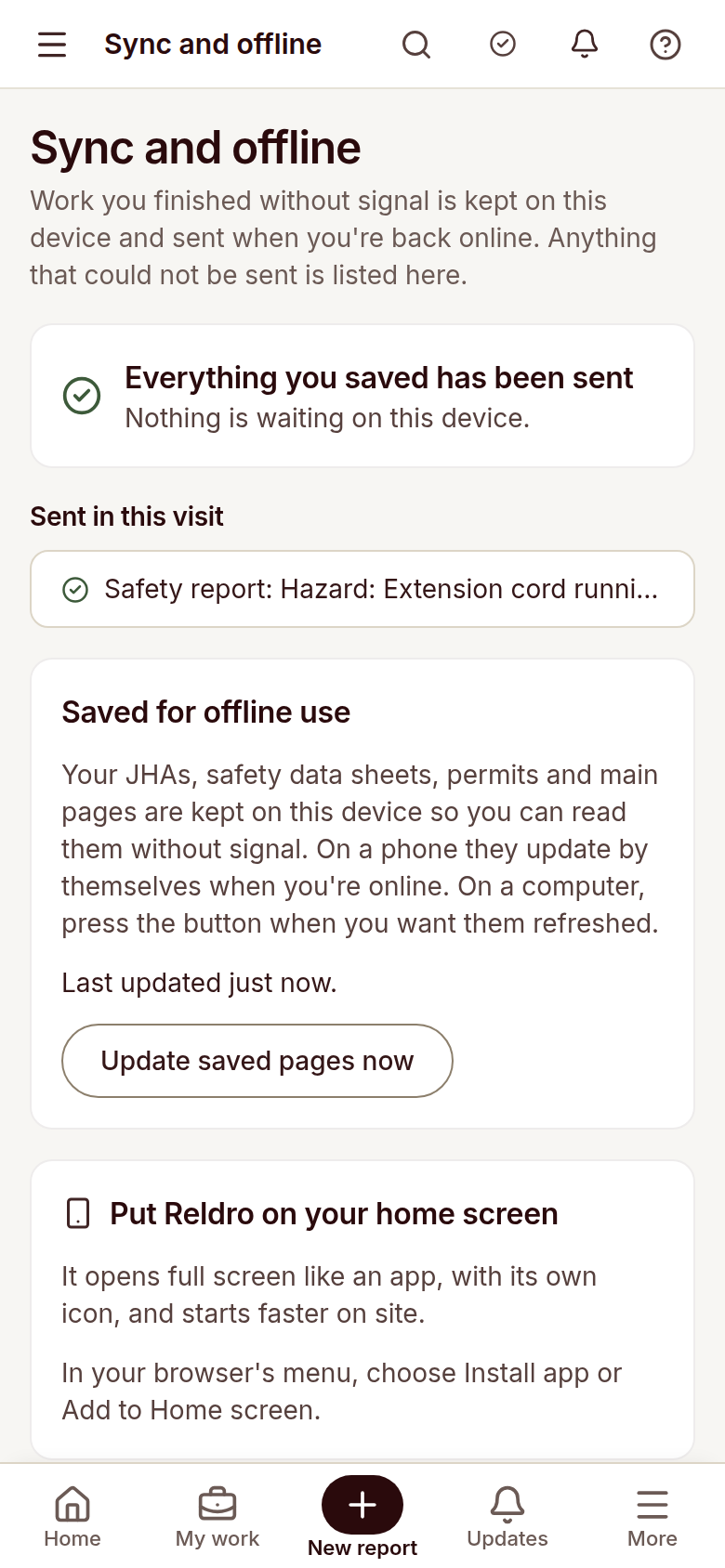
Saved work sends when the connection returns.
Review pending work
Clear banners show which work has not been received yet.
Review saved pages
Check saved pages and pending work from the sync view.
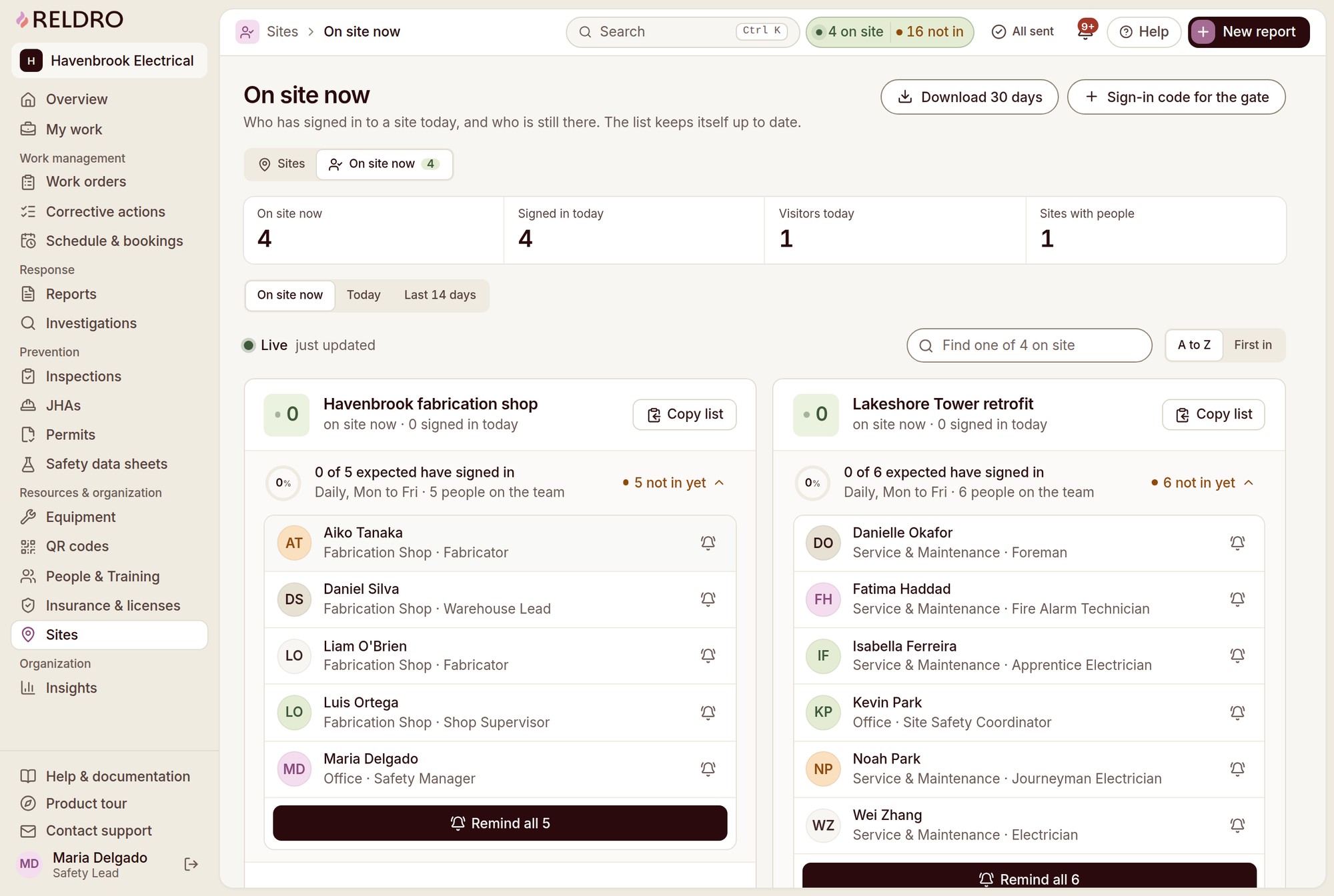
Real-time site presence
Keep crew arrivals and site rosters aligned.
Crews check in at the gate with a QR code or a gate code, and the roster updates itself. You see who is on site, who has not arrived and which visitors are logged, without a paper sign-in sheet at the trailer.
Post gate codes. Print QR posters at gates and entrances so crews, hired subcontractors and visitors check in from their phones.
Review site headcounts. Live headcount, daily sign-ins and visitor logs update themselves across your active sites.
Compare expected crews. Compare who has arrived against the crews scheduled for the day, so absences and delays show up early.
Review roster records. Send reminders to workers or teams who have not checked in, and export 30 days of roster records for review.
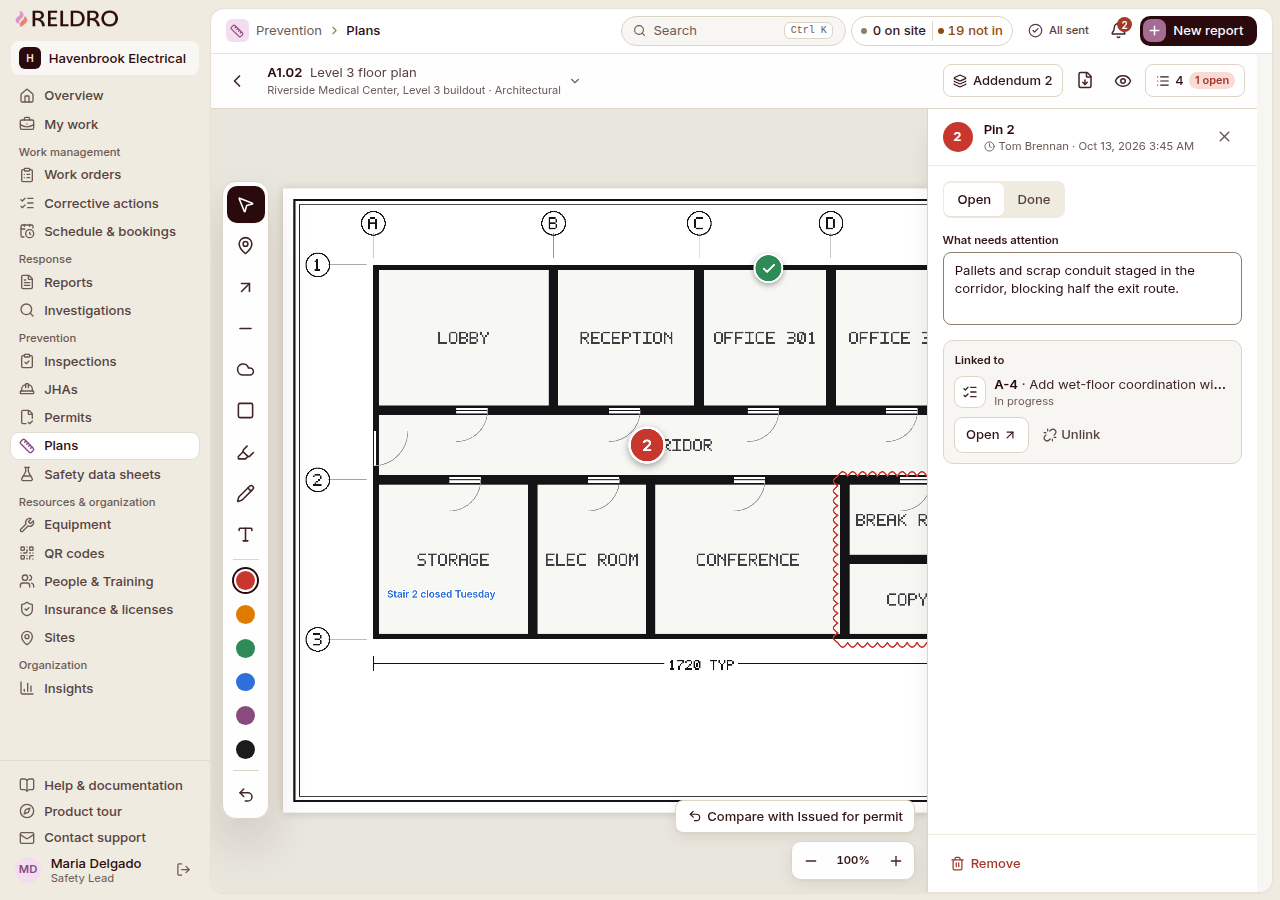
Spatial risk mapping
Keep issue locations and assigned work connected.
Pin the issue to the drawing, then hand it over with an owner and a due date. Your foreman opens the plan and knows which room, which zone and which job is his, while your office keeps the linked work and the drawing revision it was raised against.
Pin issue locations. Drop a numbered pin on the drawing so the crew knows the exact room, zone or line.
Link assigned work. Link a pin to a report, work order or corrective action with its owner and due date attached.
Mark work zones. Mark active work zones and add notes so field and office read the same plan.
Review drawing revisions. Switch between drawing revisions, addendums and permit plans as site conditions change.

From the field
“With Reldro, we spend less time tracking down paperwork and following up on safety issues, so we can focus on keeping our workers safe.”
The full platform
Plan your crew tasks and equipment checks together
Plan the task, assign the job, check the equipment and keep the documents that back it. Work orders, permits, inspections, equipment and credentials sit in one platform, with reporting and verified follow-up running through all of it.
Report & Resolve
Concerns raised on site, triaged, and followed to a verified fix.
Plan & Prevent
Task plans, checks and permits ready before the crew starts.
Coordinate Operations
Crews, equipment and company paperwork kept in step across sites.
Connect & Improve
Records brought in, field work kept available, follow-up reviewed.
Keep your subcontractor crews and office connected
For the trades you run, the crews you lead and the safety managers who keep them covered. Everyone works from the same record, so the field and the office are looking at the same day.
Construction workflows
Construction projects
By Organization

Trust and security
Know your records and review your data handling
Your reports, certificates and company documents carry weight. See exactly how Reldro stores and protects them, and where to ask your security questions.
Questions
Common questions
How does Reldro roll out across your jobsites?
Start with the crews, projects and workflows that need attention. The demo covers setup, invitations and how to bring your existing safety records into the workspace.
Can your crews use Reldro on their phones?
Yes. Your crews can use a phone browser to report issues, see assigned work, sign JHAs and acknowledge toolbox talks. Saved pages stay readable offline, and finished work waits to send until the connection returns.
How does Reldro handle your data and AI use?
AI only drafts suggestions, and a person reviews and edits each draft before use. You can discuss data handling and privacy in detail during your demo.
Can you bring data from your other systems?
You can upload Procore project and company exports and review them before adding records. This is a file-based import, not an ongoing API sync. You can discuss other requirements during your demo.
Can your crews report without sharing their names?
Yes. Your workers can share their names with your supervisor and safety team, with your safety team only, or submit without their names. They can use a private case code for replies, though details in a report could still identify someone.