
Safety managers
Document checks, toolbox talk drafts and investigation summaries come with quotes and references, so review stays quick and grounded.
Reldro AI
Reldro AI helps with the busywork, like reviewing documents, drafting reports and summarizing updates, so your team can focus on what matters. It is here to assist, not make decisions. A person reviews every result and decides what happens next. Nothing is published, created or recorded without someone’s approval.
14 days free. No credit card required.
What it does
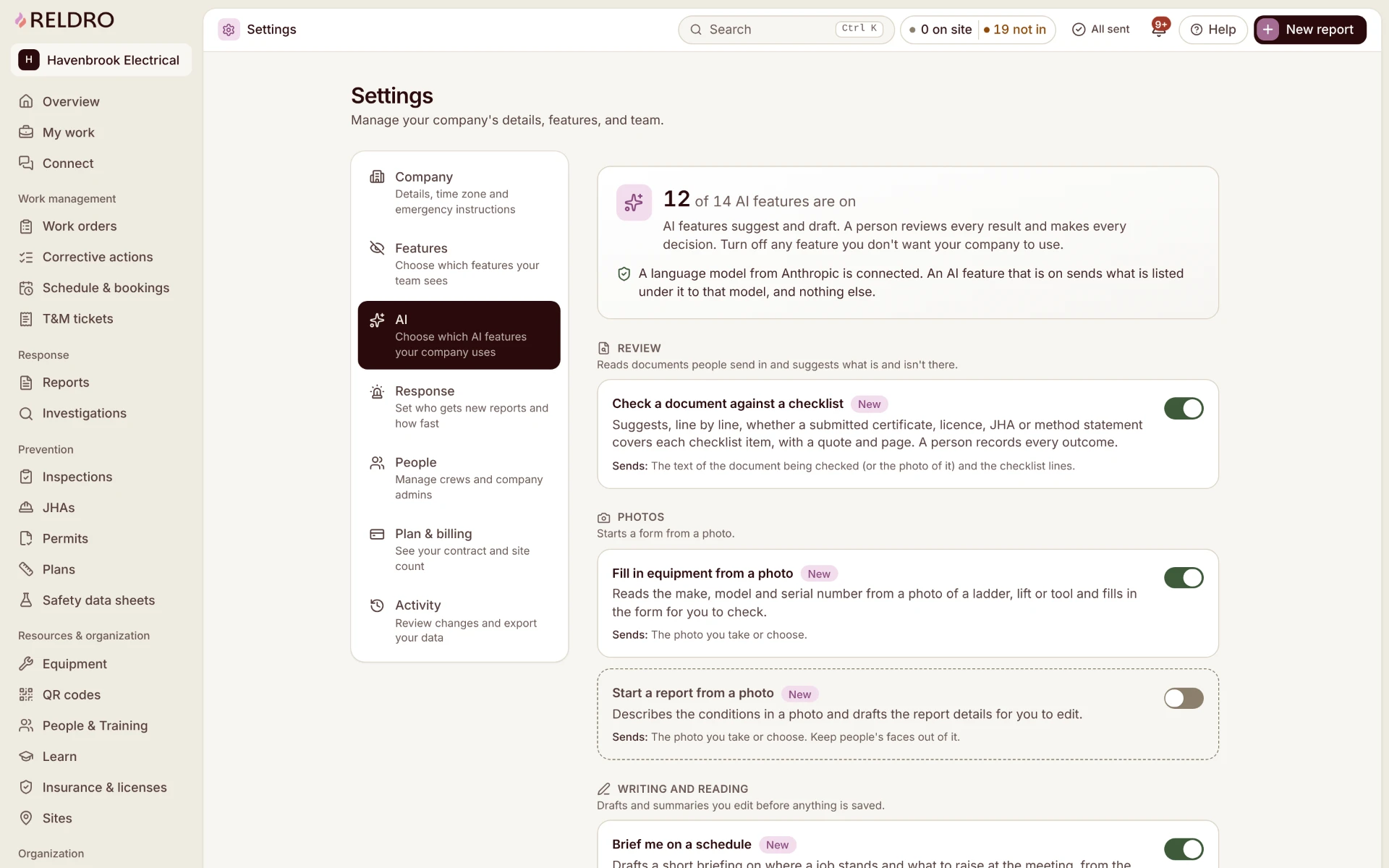
Your company admin chooses which AI features are available in Settings, under AI. Each feature has its own on/off switch and explains what information it shares with the AI model. If no model is connected, nothing is sent.
Reldro has 14 AI features. Five are on by default and can be turned off by an admin: report details, investigation help, themes across reports, toolbox talks and checklist import. The other nine start off and can be switched on individually.
Key capabilities
Compare a certificate, licence, JHA or method statement against your checklist, with a quote and page reference per item.
Read equipment details from a photo, or draft report details from what a photo shows. You check everything first.
Turn notes, schedule figures or investigation records into drafts you edit before sharing.
Build course drafts from a prompt or your own Word, PowerPoint or PDF material, reviewed by an admin before publishing.
Who it's for
Document checks, toolbox talk drafts and investigation summaries come with quotes and references, so review stays quick and grounded.
Schedule briefings and work order drafts pull from figures Reldro has already worked out, ready to edit before the meeting.
Photo-based form filling and report drafts cut the typing, while every result waits for a person to approve it.
Every AI feature in Reldro drafts or suggests, and a person reviews the result before anything is saved, published or shared. Drafts are labelled AI-assisted so reviewers know what they are looking at.
Each feature lists exactly what it shares with the AI model, and nothing else is sent. People’s names are removed or replaced with labels like Person 1 and Person 2 wherever they are not needed.
Review documents
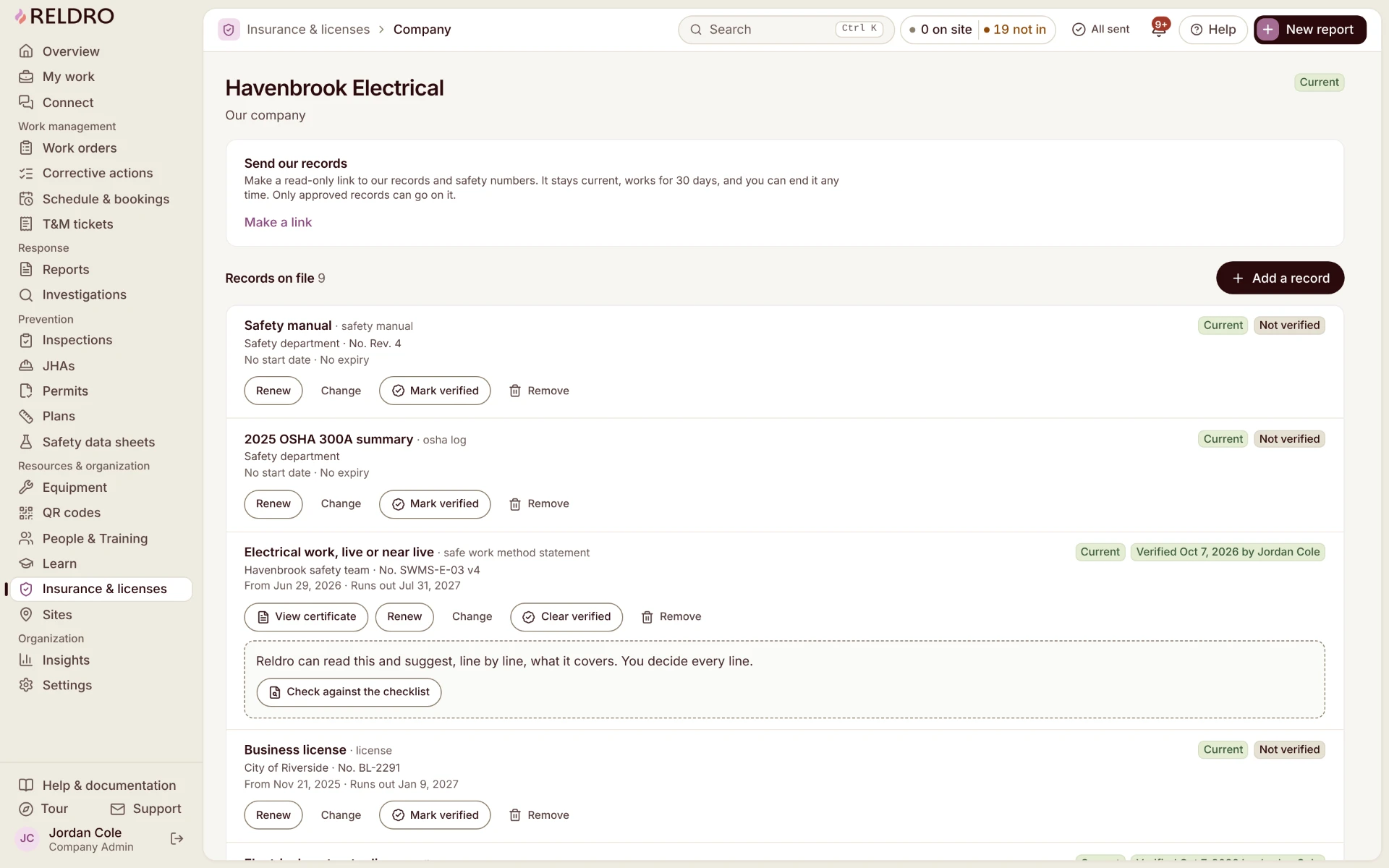
Need to check a certificate, licence, JHA or method statement? Reldro can compare it with your checklist and suggest whether each item is covered, with a quote and page reference. Your team reviews the suggestions and records the outcome.
Shared with the AI: The document text or photo, and the checklist items.
Work with photos
Take a photo of a ladder, lift or tool, and Reldro can read the make, model and serial number and add them to the form. You can check everything before using it. The photo isn’t saved.
Shared with the AI: The photo.
Reldro can describe what’s shown in a photo and use it to draft report details for you to review and edit. Just remember to keep faces out of the photo.
Shared with the AI: The photo.
Write and understand information
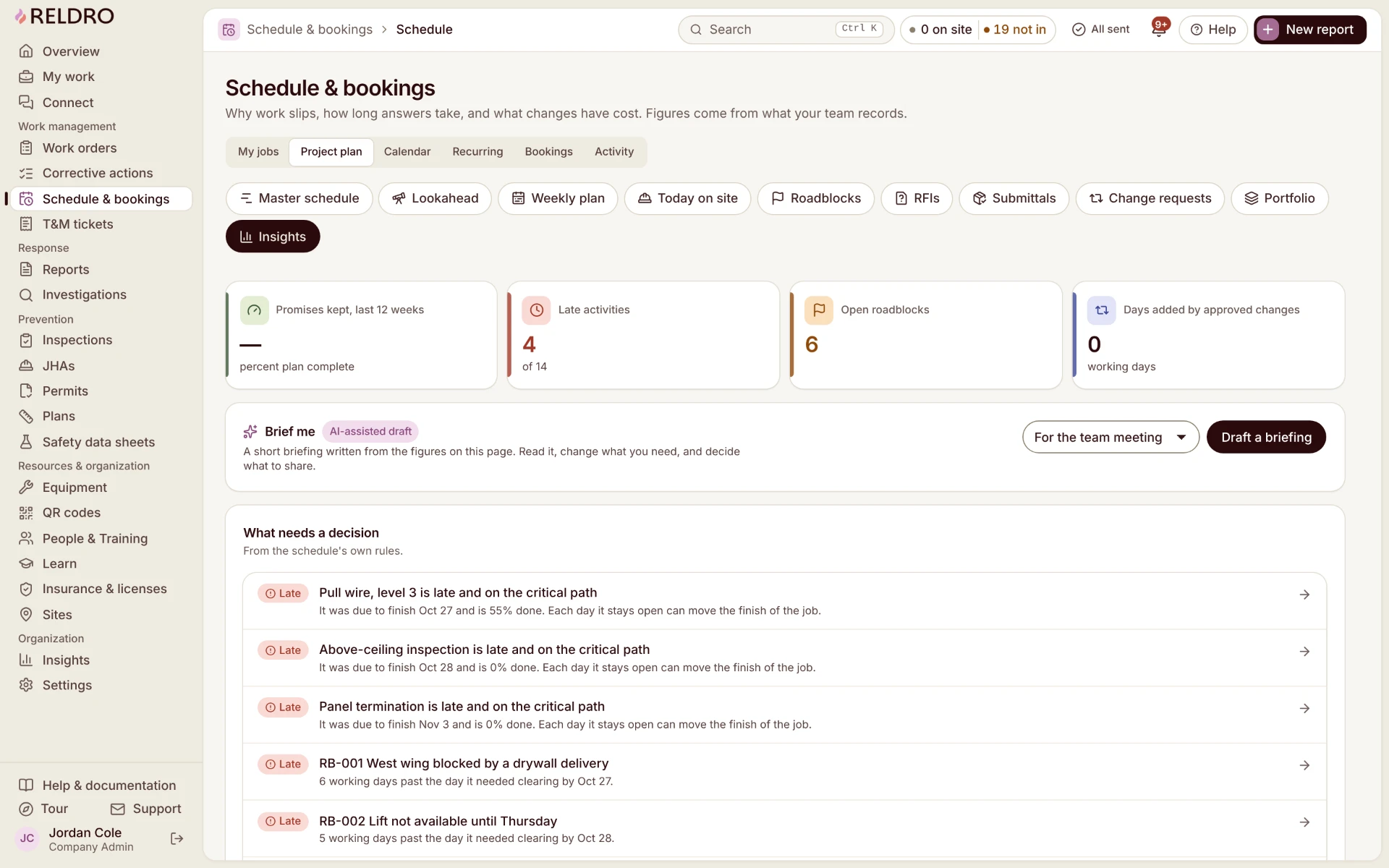
Reldro can pull together a short update on how a job is going and what might be worth discussing at your next meeting. It uses figures Reldro has already worked out, and you can edit the briefing before sharing it.
Shared with the AI: Counts, dates and the names of late or at-risk activities, RFIs, submittals and roadblocks. People’s names aren’t included.
Type or dictate your notes, and Reldro can shape them into a report title, topic and description.
Shared with the AI: The words you typed or dictated.
Reldro can suggest questions and help draft summaries, closeouts and lessons from the information your response team recorded.
Shared with the AI: Report facts and timeline entries. Names are removed before lesson drafts are created.
Reldro can look across reports and highlight recurring themes in a few easy-to-scan bullet points.
Shared with the AI: Counts only, for example reports by topic and site, common factors and overdue actions. Report text and names aren’t included.
Give Reldro a topic and material your team has approved, and it can turn them into a toolbox talk outline.
Shared with the AI: The topic and the approved material you provide.
Paste in text or share a photo of a page, and Reldro can turn it into a checklist you can edit. PDFs with selectable text are read inside Reldro and aren’t sent to the AI.
Shared with the AI: The pasted text or photo.
Choose a Connect message, and Reldro can use it to draft a work order. You stay in control: nothing is created until you select Create, and the draft is labelled AI-assisted.
Shared with the AI: The selected message and its conversation name. People’s names aren’t included.
Short on time? Reldro can summarize the key updates, decisions, open questions and action items in a conversation. It won’t create anything or give instructions.
Shared with the AI: Recent messages, with people labelled Person 1, Person 2 and so on.
Reldro can show messages, announcements, work orders, safety documents and training in each person’s chosen language, alongside the original. Translations are clearly labelled, and the original is always just a tap away. Translated safety instructions are marked not reviewed until a person checks them.
Shared with the AI: The text being translated. Information about who wrote or is reading it isn’t included.
Training
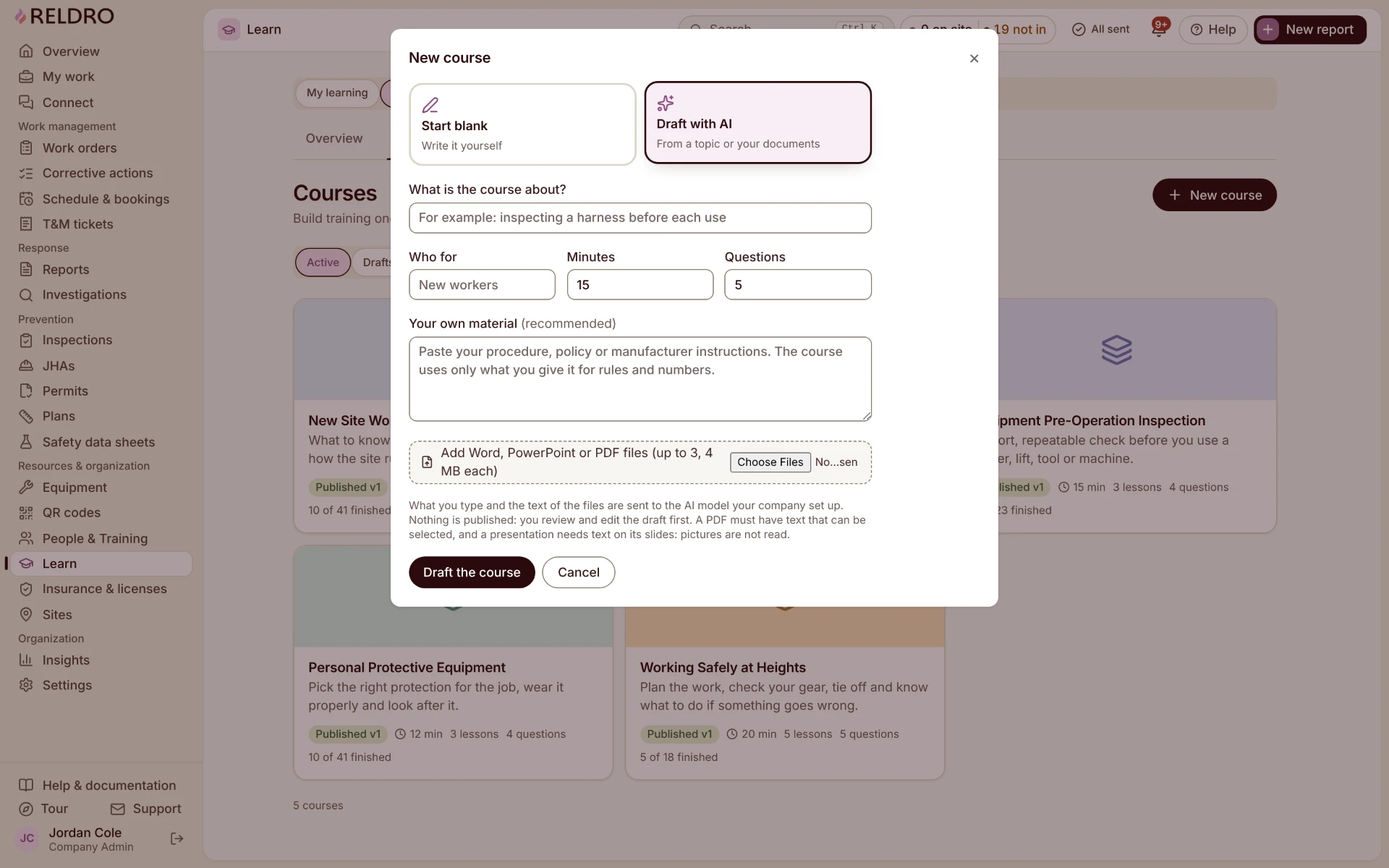
Start with a prompt or upload a Word, PowerPoint or PDF file, and Reldro can help draft a course. It can also help you rewrite content, make it easier to understand or add questions. An admin reviews and publishes each course before it reaches workers.
Shared with the AI: Your prompt, the text of any uploaded file and the course text being edited. Names and records aren’t included.
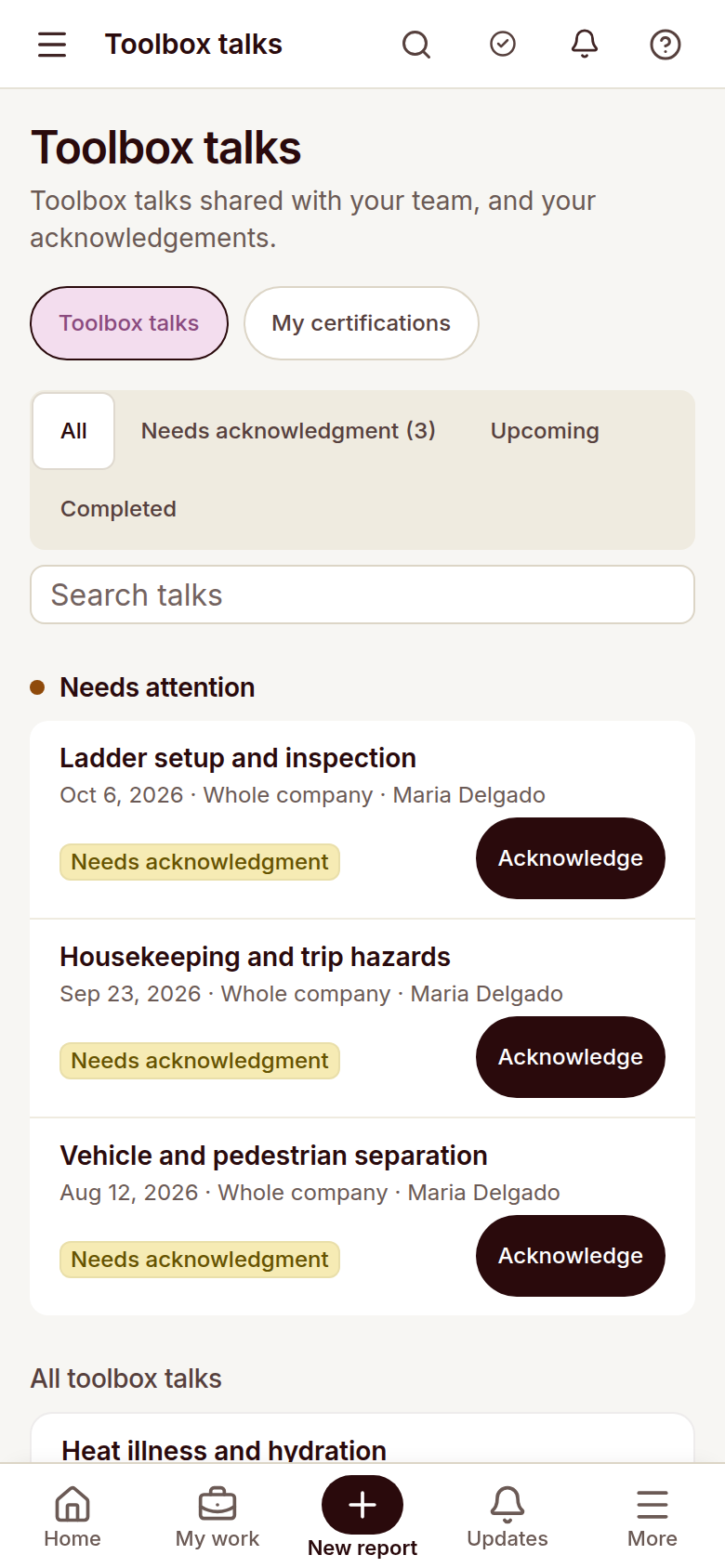
Workers can ask Reldro a question and get an answer based on your published courses. Reldro shows which lesson the answer came from. If it can’t find a helpful match, it’ll say so and offer to send the question to a supervisor.
Shared with the AI: The question and the few lesson passages that best match it.
Every Reldro AI feature is a suggestion waiting for a person. Switch on the ones that help your team, leave the rest off, and change your mind any time in Settings.
14 days free. No credit card required.