
Equipment and assets
Track equipment checks and assign repair work.
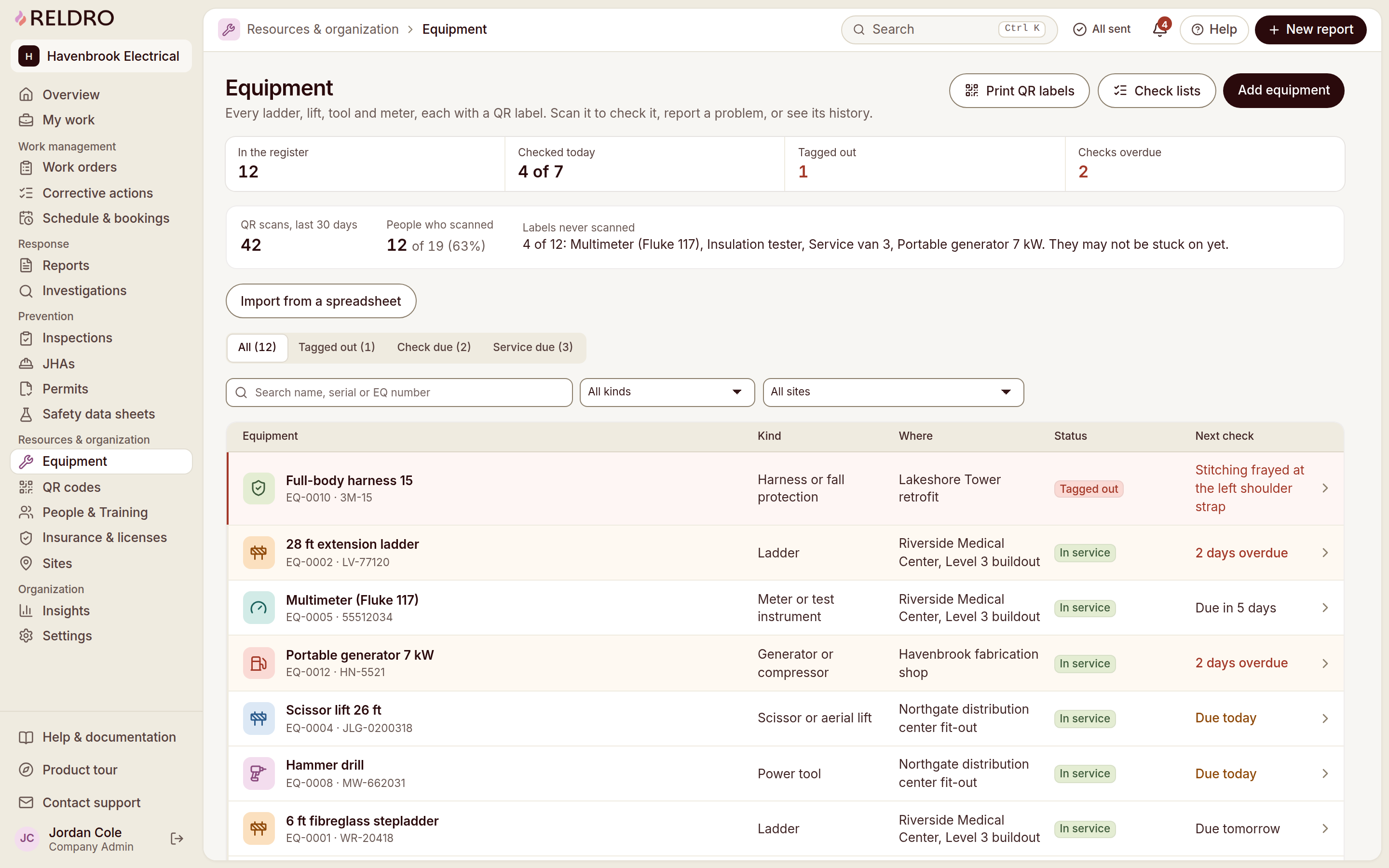
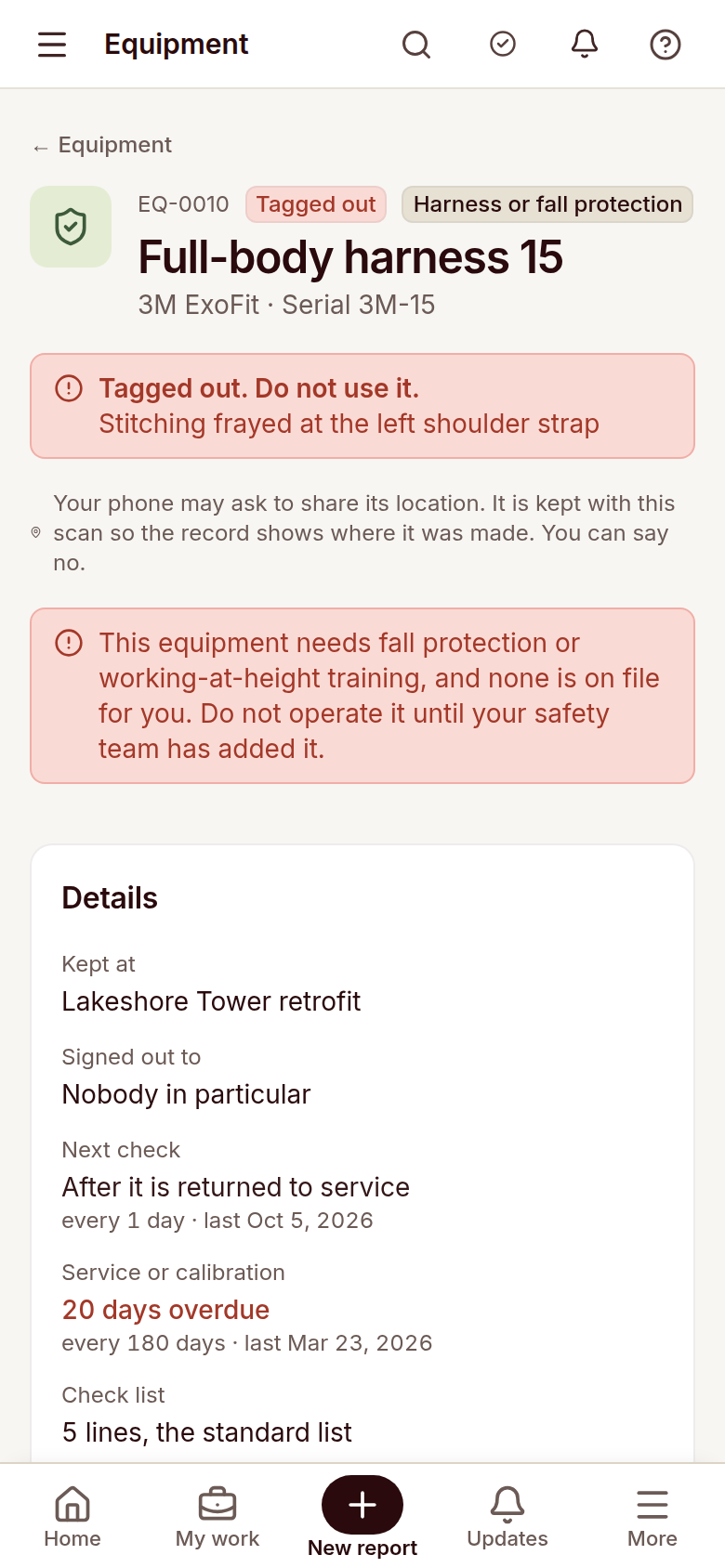
Keep your register, QR labels, pre-use checks and service dates in one place. A scan opens the item’s status before anyone uses it, and a failed check tags it out until someone records the return to service.
Request a demo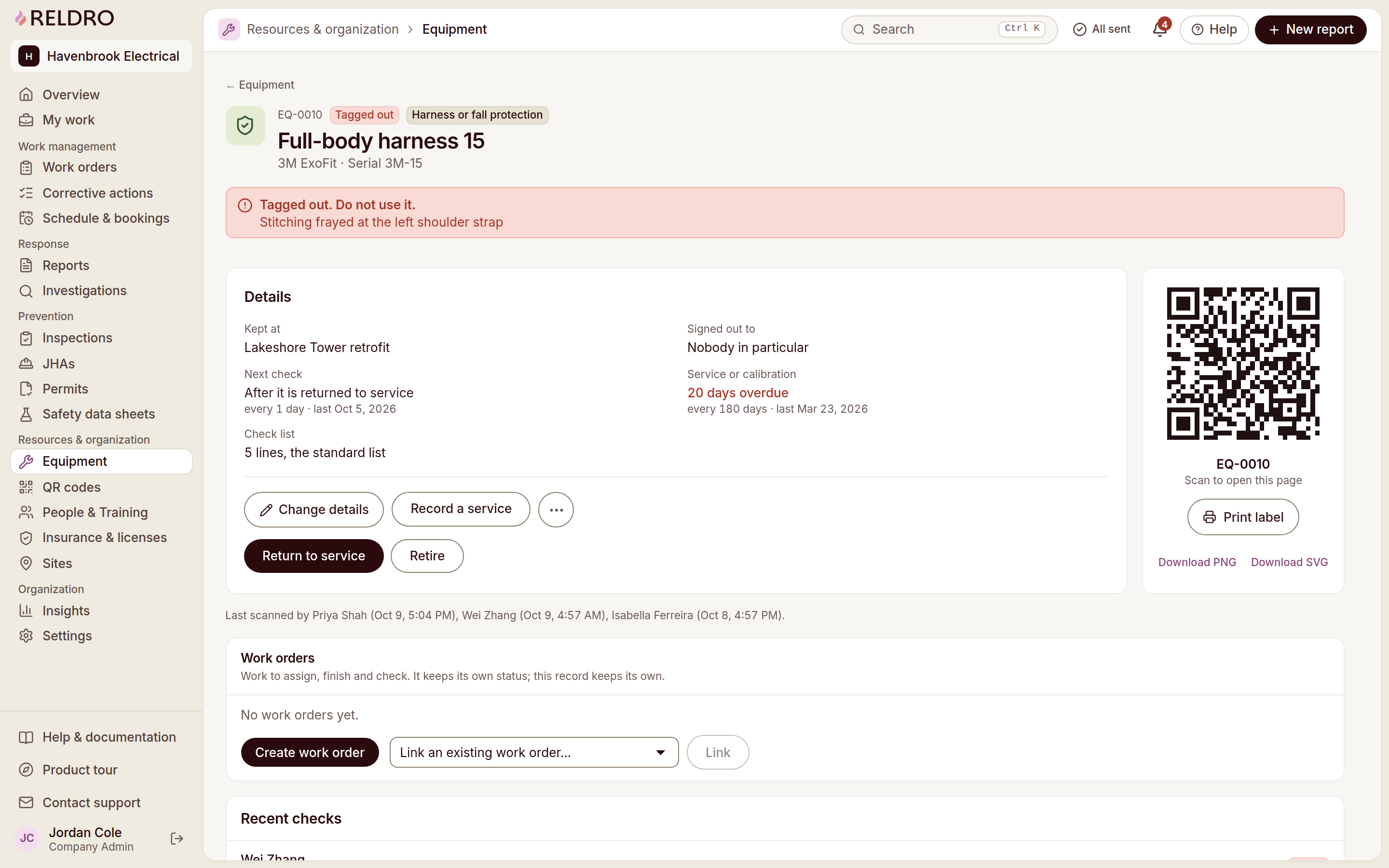
The workflow
Equipment and assets, connected to your crews.
Record equipment details
Keep equipment details in one shared register.
Assign equipment sites
Know which site each item belongs to.
Review asset status
Scan a label to see recorded condition and status before use.
Review repair records
Keep check history, work orders and return-to-service decisions with the item.
Coordinate Operations
Keep the next step connected.
Site operations
See the week in your company time zone: scheduled jobs, recurring checks, permits and bookings for shared equipment, vehicles or work areas. Crews open the jobs due to them, and late or missed runs are flagged.
Subcontractor management
Keep your own insurance, licenses and method statements current, and collect the same from the companies you hire. Private links and broker requests bring records in, and your review queue shows what is current, what is expiring and what is still missing.
Insurance & licenses
One register holds your insurance, trade licenses and method statements against what each contractor you work for requires. You see current, expiring, expired and missing before the GC asks, not after.
Site check-in and headcount
Crews check in at the gate with a QR code or a gate code, and the roster updates itself. You see who is on site, who has not arrived and which visitors are logged, without a paper sign-in sheet at the trailer.