
Permits to work
Track permit reviews and coordinate approved work.
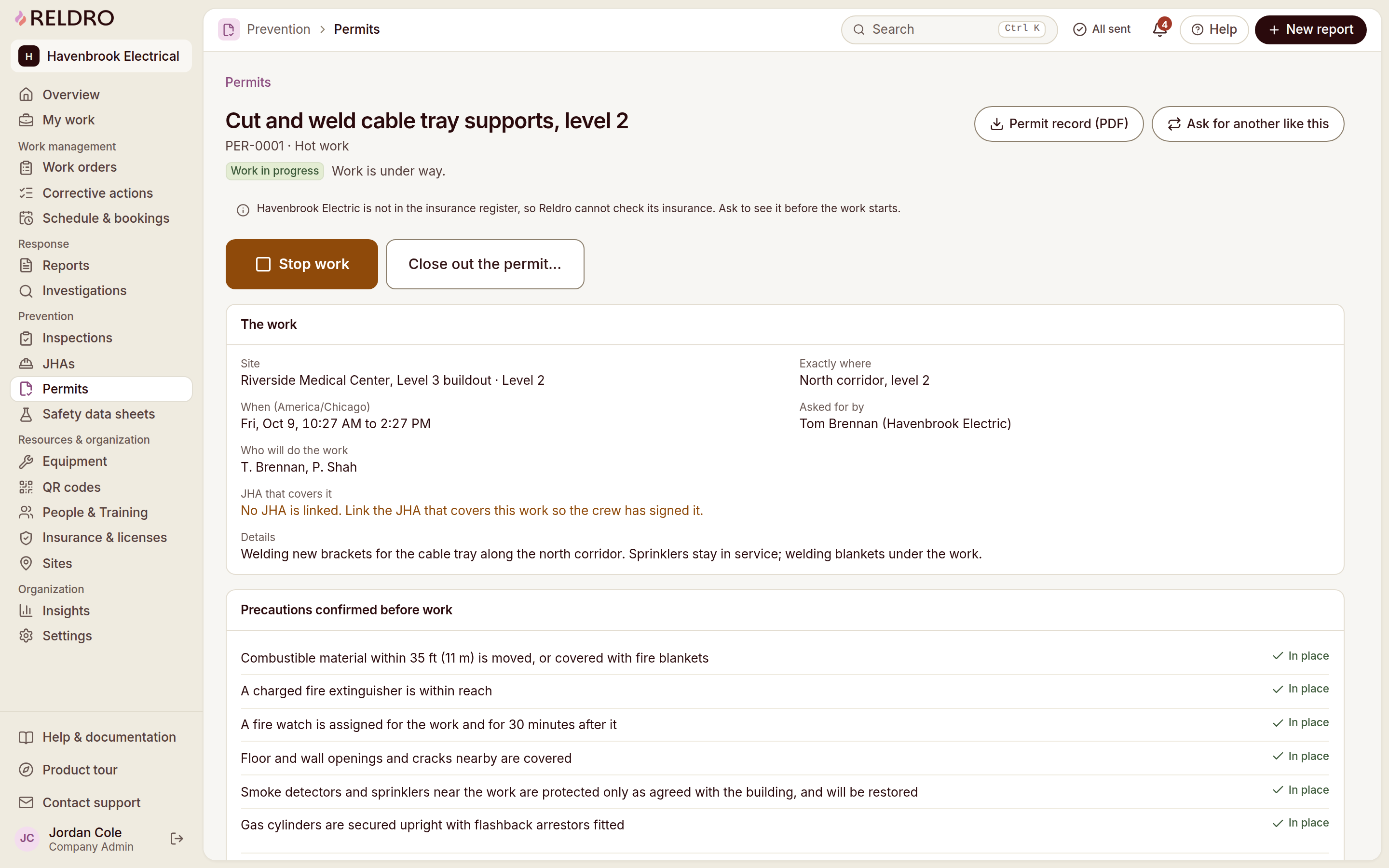
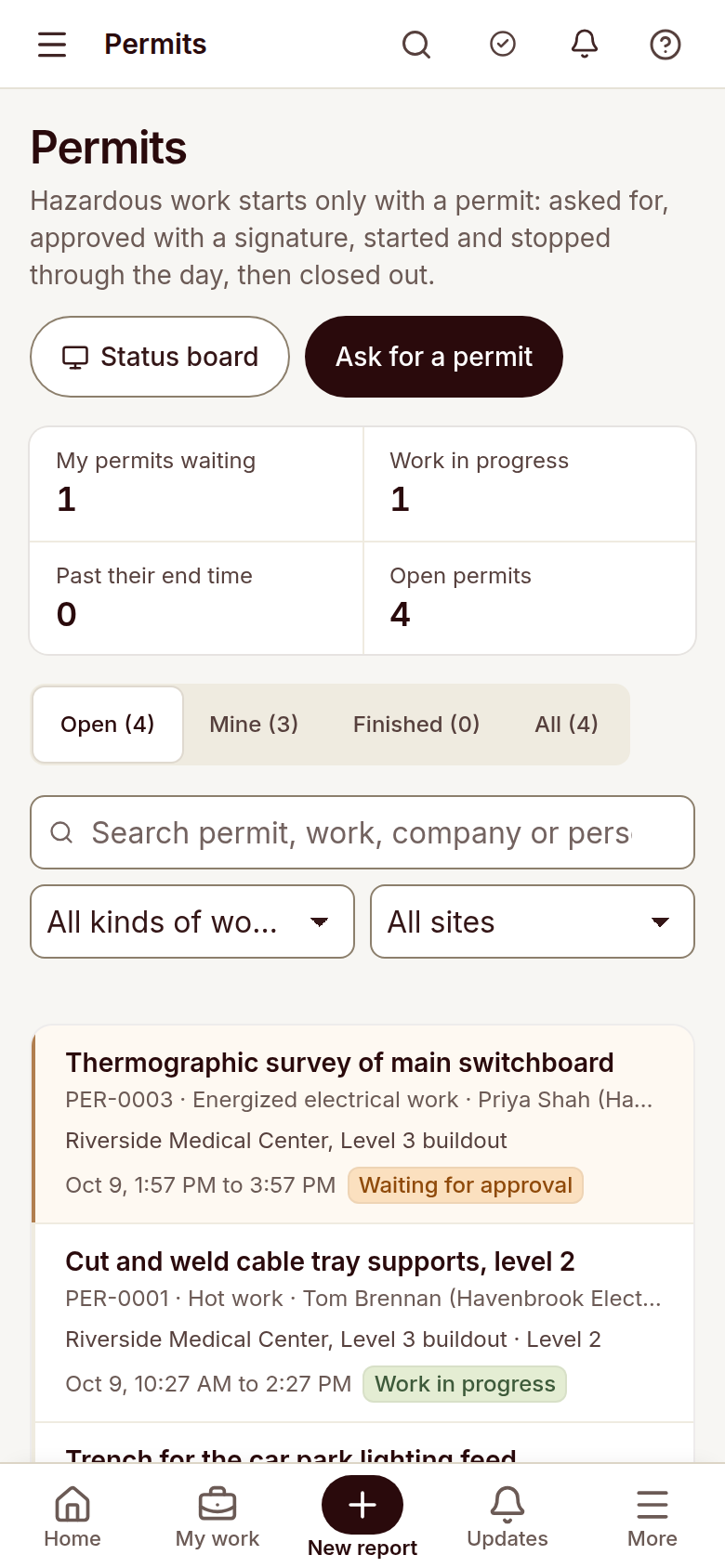
Request a permit with the location, timing, people, precautions and linked JHA in view, and let approvers sign it. The board shows what is approved, active or waiting, and close-out stays on the record.
Request a demo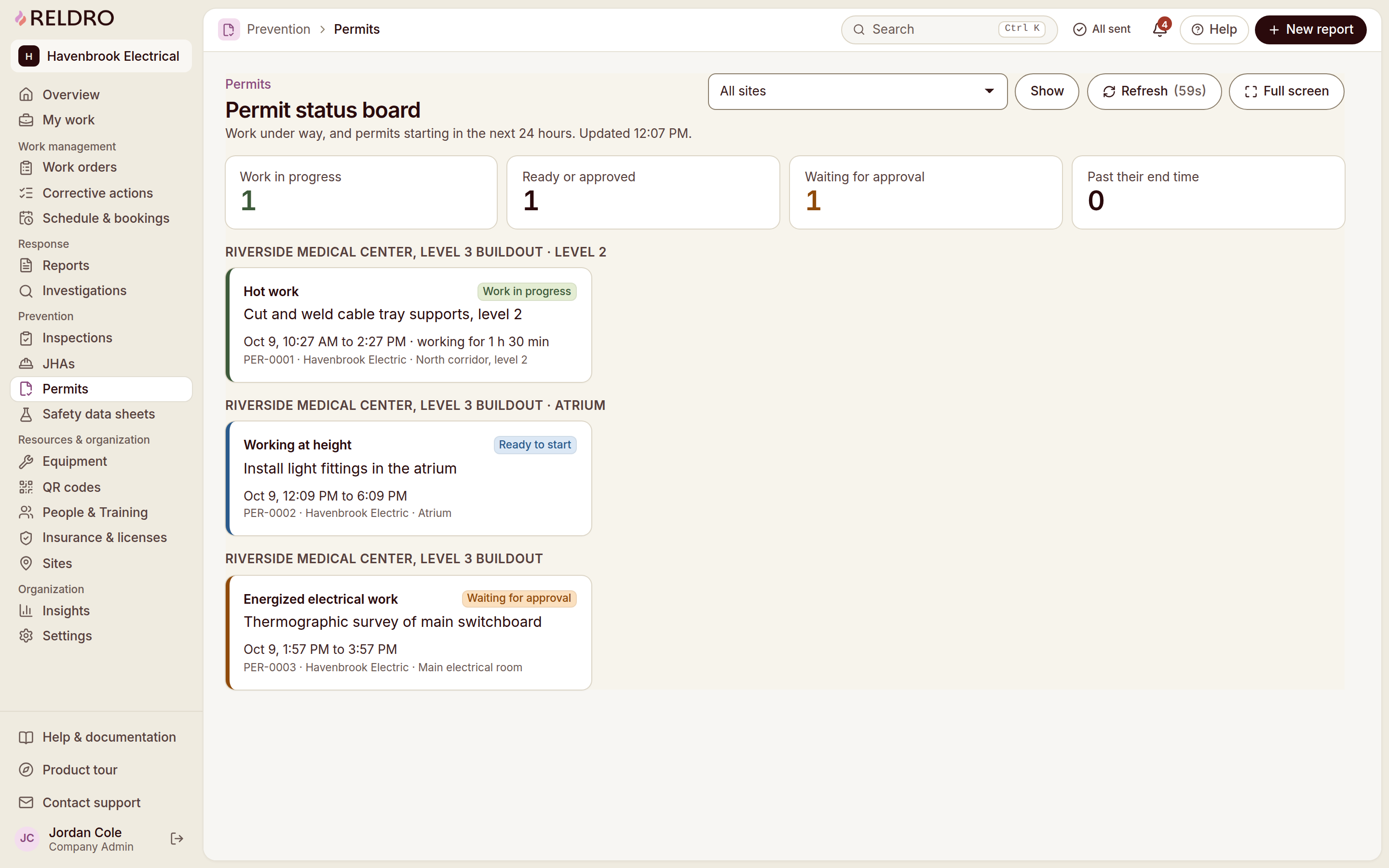

The workflow
Permits to work, connected to your crews.
Connect planned permits
Keep each permit tied to its site and planned work.
Record work precautions
Hold the timing, people and precautions an approver needs.
Review permit status
See what is approved, active or waiting on one board.
Review close-out records
Keep signatures and close-out details for later review.
Plan & Prevent
Keep the next step connected.
Inspections
Run your trade’s checklist on the phone and record pass, fail or not applicable with notes and photos. A failed item can start the corrective action with its evidence and location already carried across.
Job hazard analysis
Break the job into steps, name what could go wrong and the controls to use, then publish it to the crews who need it. Workers sign the current version on their phone, and a new wording means fresh signatures before work starts.
Chemical safety / SDS
Keep approved safety data sheets for the products your crews actually use, with hazards, first aid, protective equipment and storage in one record. QR signs give workers the approved sheet on site, and versions and review dates stay with the product.
Interactive site plans
Pin the issue to the drawing, then hand it over with an owner and a due date. Your foreman opens the plan and knows which room, which zone and which job is his, while your office keeps the linked work and the drawing revision it was raised against.