
Subcontractors
Keep your crews, daily work and records in sync.
Your crews handle daily work, equipment checks and JHAs across jobsites from a phone, so everyone knows what needs doing. Your office keeps insurance, licenses and method statements current and sees which records each GC still needs.
Request a demo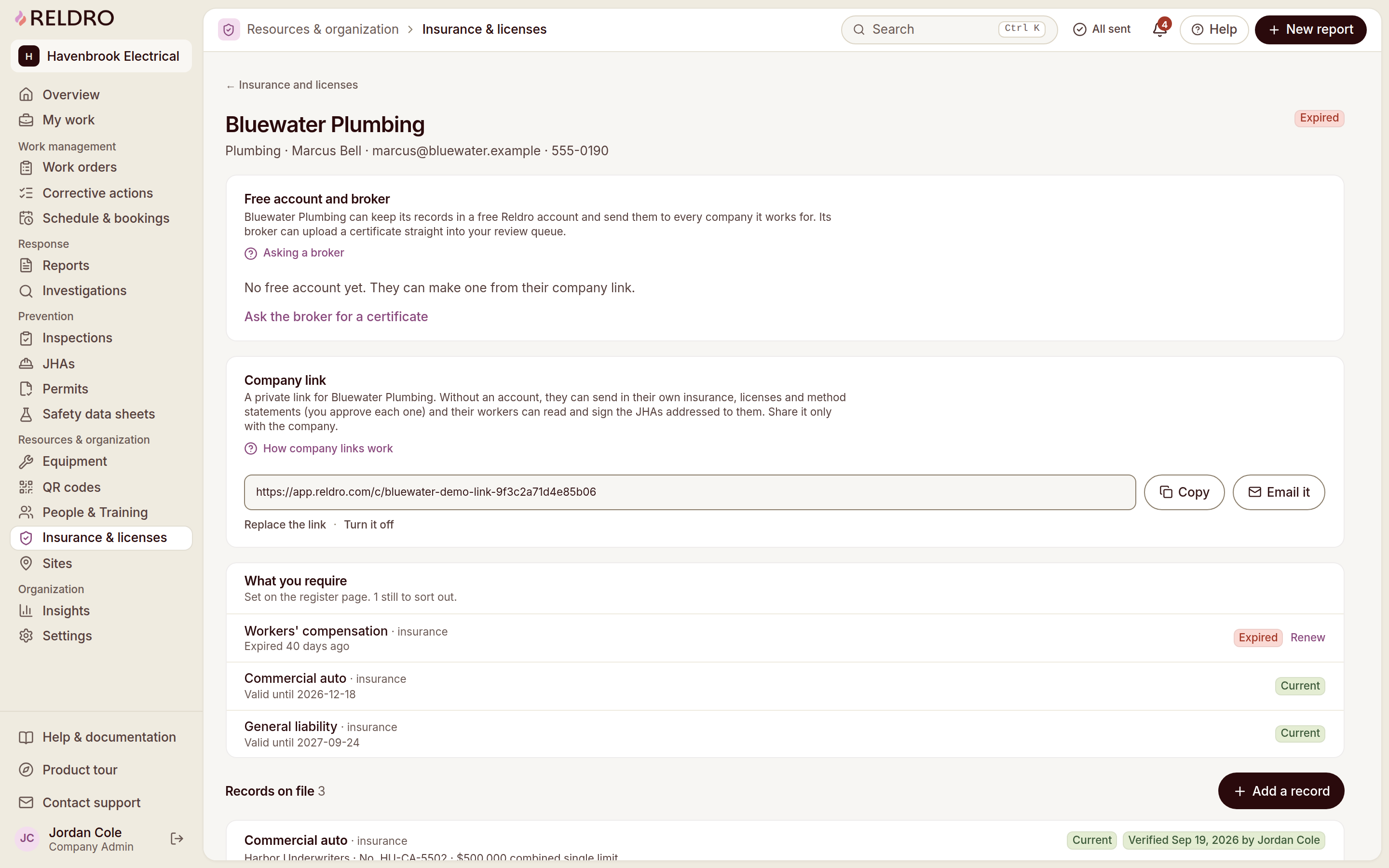
What your crews need
Keep your crews, paperwork and follow-up connected.
Clear trade responsibilities
Tie your assigned actions to the concern, site and responsible person.
Pre-task review
Give your crews the task JHA to read and sign before work starts.
Company documents in view
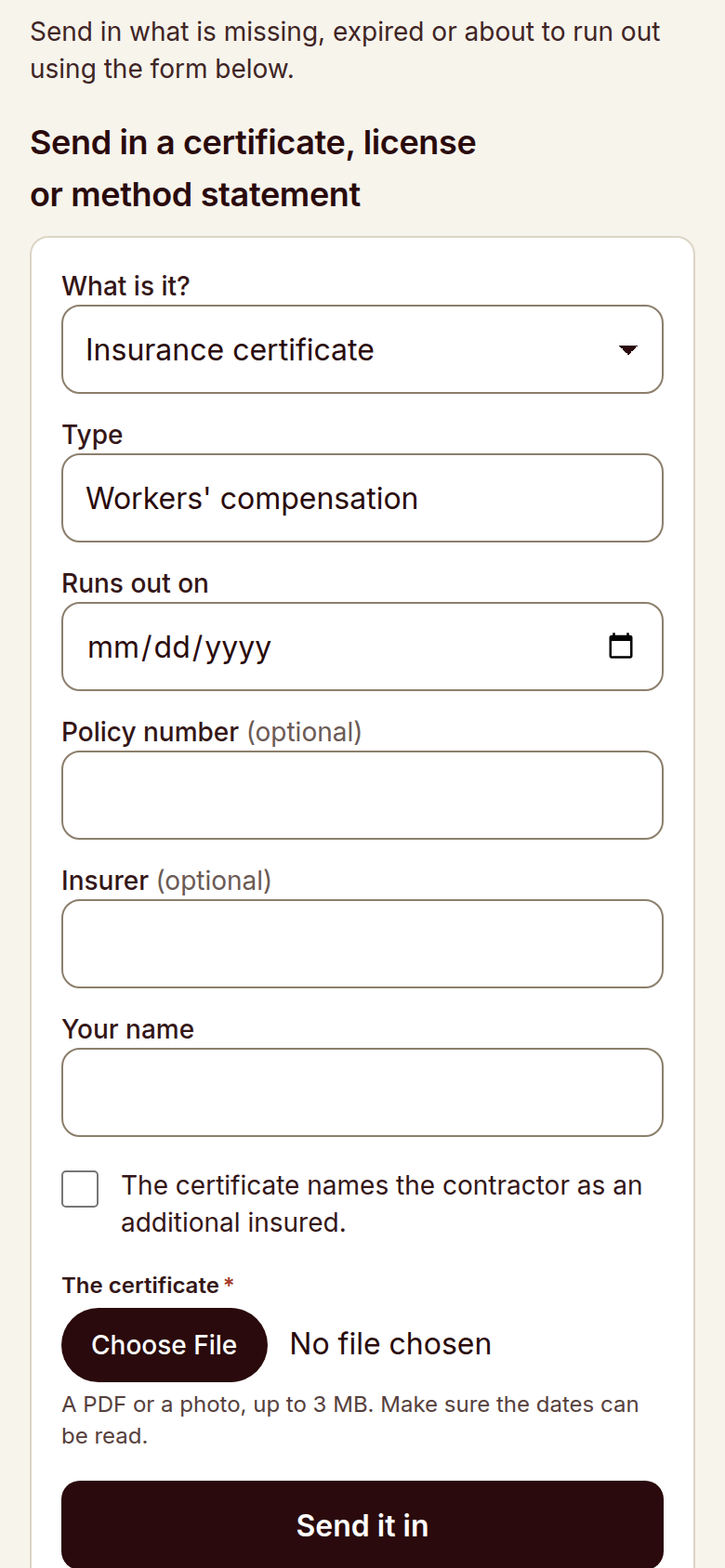
Review your document requests and expiry dates, then submit certificates or ask your broker to send them for review.
Equipment checks before use
Record your pre-use checks for lifts, tools and plant and review which checks are due.
Follow-up your safety manager can see
Assign your safety concerns to a person with a due date and track their status.
Work without signal
Save your crew’s checklists and concern reports offline and check delivery after reconnection.
Your trade
Built around the work your trade does every day.
Electrical
Keep your energized work permits, lockout records and tool checks with each job.
Mechanical
Review your lift, hot work and confined space task plans with your crew.
Plumbing
Track your excavation, hot work and chemical records across jobsites.
Fire protection
Tie your work-at-height, system impairment and handover records to each project.
Roofing
Record your fall protection checks, weather-related task plans and roof concerns.
Concrete
Record your formwork, pour and equipment checks and keep safety data sheets available.
HVAC & sheet metal
Keep your lift checks, hot work permits and refrigerant safety data sheets with each job.
Drywall & framing
Record your lift and ladder checks, dust controls and work-at-height task plans.
Wood framing
Keep your nail gun checks, saw guard checks, bracing notes and task plans with each framing crew.
Painting & finishing
Keep your safety data sheets, ventilation notes and flammable storage checks with each job.
Insulation
Keep your respirator fit records, safety data sheets and confined space task plans available to crews.
Masonry
Keep your silica dust controls, scaffold checks and suspended load plans with each work front.
Structural steel & welding
Tie your hot work permits, rigging plans and work-at-height checks to each project.
Glazing
Record your lifting gear checks, edge protection reviews and glass handling task plans.
Scaffolding
Review your erection records, inspections, tag statuses and load ratings for each structure.
Demolition & sitework
Keep your excavation permits, utility location records and equipment checks with each crew.
How it works
A day on site with your crews.
- 1
Start the day
Have your crew check in, read and sign the task plan, and record equipment checks from a phone.
- 2
Report what you see
Report your safety concerns with photos and the work area from your phone.
- 3
Assign the fix
Review your crew’s concern, assign a corrective action and set a due date.
- 4
Keep the records your GC asks for
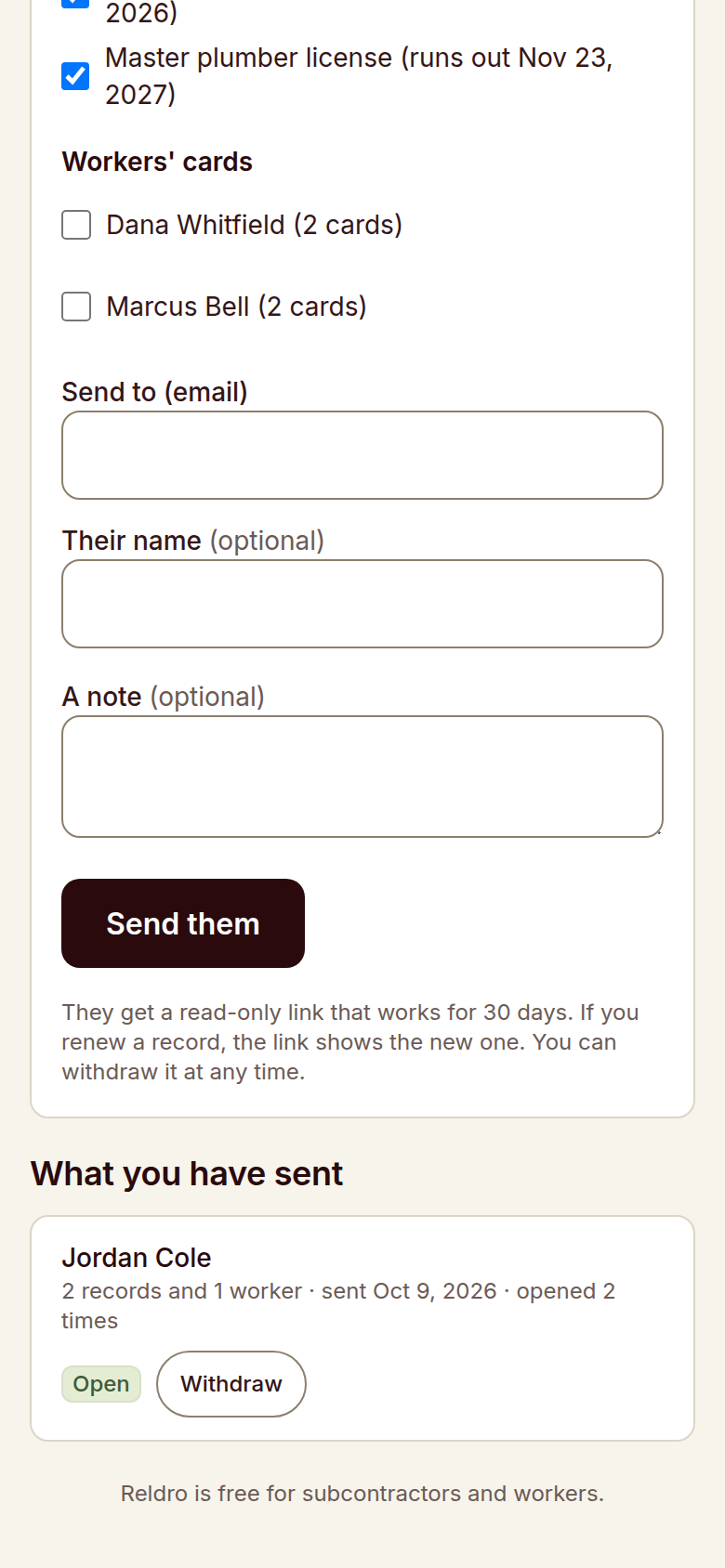
Review your insurance, licenses, method statements and completed checks before sharing them with your GC.

Relevant features
Relevant workflows for subcontractors.
Subcontractor management
Keep your own insurance, licenses and method statements current, and collect the same from the companies you hire. Private links and broker requests bring records in, and your review queue shows what is current, what is expiring and what is still missing.
Field reports and issue tracking
Anyone on the crew can raise what they see from a phone, with the location, notes and photos attached. Your safety manager works the queue by seriousness and site, then puts the next step on a named person.
Job hazard analysis
Break the job into steps, name what could go wrong and the controls to use, then publish it to the crews who need it. Workers sign the current version on their phone, and a new wording means fresh signatures before work starts.
Corrective actions / CAPA
Turn a report, an inspection finding or a failed equipment check into an action with an owner and a due date. Progress, photos and the final review stay on the record, so nothing closes on a verbal.
Insurance & licenses
One register holds your insurance, trade licenses and method statements against what each contractor you work for requires. You see current, expiring, expired and missing before the GC asks, not after.
Permits to work
Request a permit with the location, timing, people, precautions and linked JHA in view, and let approvers sign it. The board shows what is approved, active or waiting, and close-out stays on the record.
Inspections
Run your trade’s checklist on the phone and record pass, fail or not applicable with notes and photos. A failed item can start the corrective action with its evidence and location already carried across.
Chemical safety / SDS
Keep approved safety data sheets for the products your crews actually use, with hazards, first aid, protective equipment and storage in one record. QR signs give workers the approved sheet on site, and versions and review dates stay with the product.
Offline and sync
Pages already saved stay readable without signal, and crews can still file reports, checks, task completions and JHA signatures. Finished work sits in an outbox and sends with its original completion time once the connection returns.
Questions
Questions from subcontractors.
- Do my crews need training to use Reldro?
- Your crews can use a phone browser or the installed home screen app to check in, read task plans and report concerns.
- Can I share our records with more than one GC?
- You can keep your insurance, licenses and method statements together and share the records each GC requests.
- Can I manage my own subcontractors too?
- You can request records from subcontractors you hire through private links or broker requests and review missing or expiring documents.
- Does it work on sites without signal?
- You can save checklists and concern reports offline and check their delivery after your device reconnects.
- How is Reldro priced?
- You get one plan, unlimited users, priced by active sites. Request a demo to discuss your sites and crews.