
Site operations
Construction safety management software: connect your site workflows
Build a connected construction safety management process across sites, from task planning and inspections to reviewed actions, training and contractor records.
By Reldro · · 10 min read
What does construction safety management software organize?
Construction safety management software organizes the records and handovers your teams use to plan work, raise concerns, review findings and follow through. A useful system connects a task's context to the people responsible for its next decision. Digitizing a form is one part of that process, not the whole process.
For construction contractors, safety records sit beside everyday operations. A planned task may depend on site access, equipment availability, a reviewed JHA, the right permit and relevant training. An inspection finding may change tomorrow's assignment. Keeping these relationships visible helps the field and office work from the same information without assuming that a software status proves the work is safe.
This guide explains how to organize those workflows across projects. It is different from choosing a vendor: the existing buyer guide covers selection criteria. Here, the goal is to make responsibility, source records and review decisions clear, whichever tools your company uses.
Draw the handovers before building the forms
Take one recent piece of work and trace its records. What was planned? Which information reached the supervisor? What changed in the field? Who saw that change and what happened next? Use an ordinary example rather than designing around an exceptional event that few people recognize.
A process map might begin with the assignment, continue through task planning and a check, then branch into a concern, an action and verification. Add the owner at every handover. If the map says 'office reviews' without naming a role, you have found a responsibility gap that a new application will not resolve on its own.
Ask your team to distinguish sending from receiving and recording from deciding. A completed checklist does not mean every finding has an owner. A posted message does not mean the assignment has changed. A reviewed document does not automatically authorize a worker to perform a specialist task. Put those distinctions into the process before turning them into fields.
Keep planned work connected to its prerequisites
For each assignment, identify the site, area, work scope and planned window. Keep references to relevant drawings, task planning, equipment checks, training and permits where your process requires them. These are different records with different reviewers; avoid collapsing them into one green readiness indicator that hides the basis of the decision.
Your responsible people determine which requirements apply to the task. Software can make a missing record visible, but it cannot decide that a generic course covers a particular qualification or that an old task plan remains suitable after conditions change. The supervisor should be able to explain the actual reference used, not just point to a completed box.
In Reldro, work orders, scheduling, permits, equipment, JHAs and learning records sit within the wider field-work platform. Use those capabilities to retain context around work rather than present the whole system as a checklist repository. Confirm project-specific approvals and technical authority through your normal arrangements.
Give observations a route to a named reviewer
Define the ordinary reporting route and the separate urgent-response arrangements. A person raising a concern needs to know what information to include and who will review it. Someone seeing immediate danger must follow the site's emergency or escalation process, not wait for a form to sync or a dashboard notification.
Keep the observation close to its source: location, date, author, relevant notes and photos. Record what was observed separately from assumptions about why it happened. The reviewer may need more information before assigning corrective work or deciding that a formal investigation is appropriate.
OSHA's recommended safety-program materials discuss worker participation and communication. They provide useful process context, not a certification that your software setup meets every applicable requirement. Keep participation practical: let workers ask questions, correct unclear instructions and see where their information went.
- Build a reporting process teams can use
- Organize construction event records and investigation handovers
| Record or decision | What to establish | Who reviews it |
|---|---|---|
| Task plan | Current scope, reference and required review | Responsible supervisor and authorized reviewers |
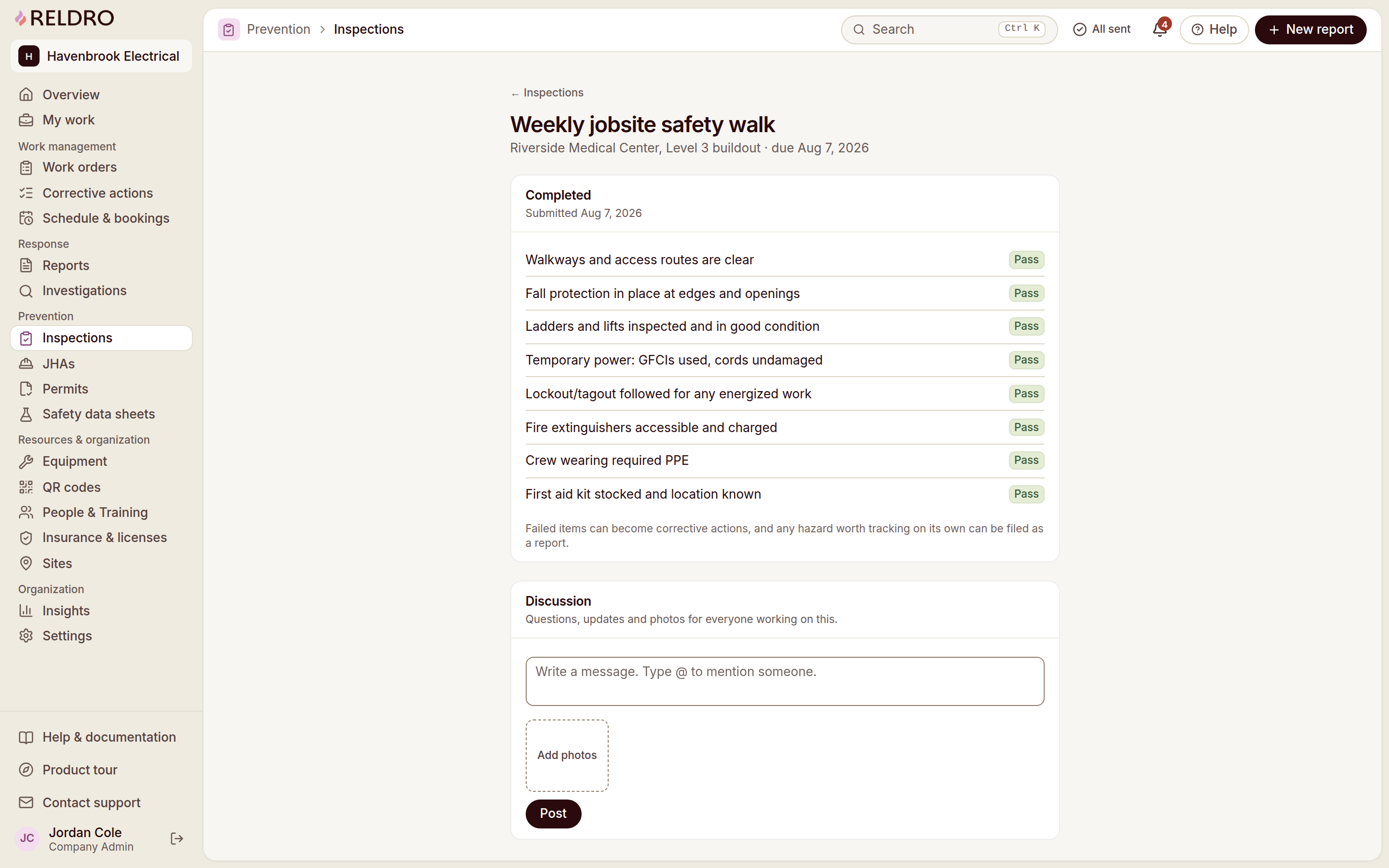
| Inspection finding | Observed condition and next owner | Inspector and nominated reviewer |
| Corrective action | Expected result and appropriate completion evidence | Action owner and verifier |
| Training record | Course/version and actual completion | Trainer or training lead |
| Contractor document | Requirement, expiry and review outcome | Authorized document reviewer |
Separate a fix from verification
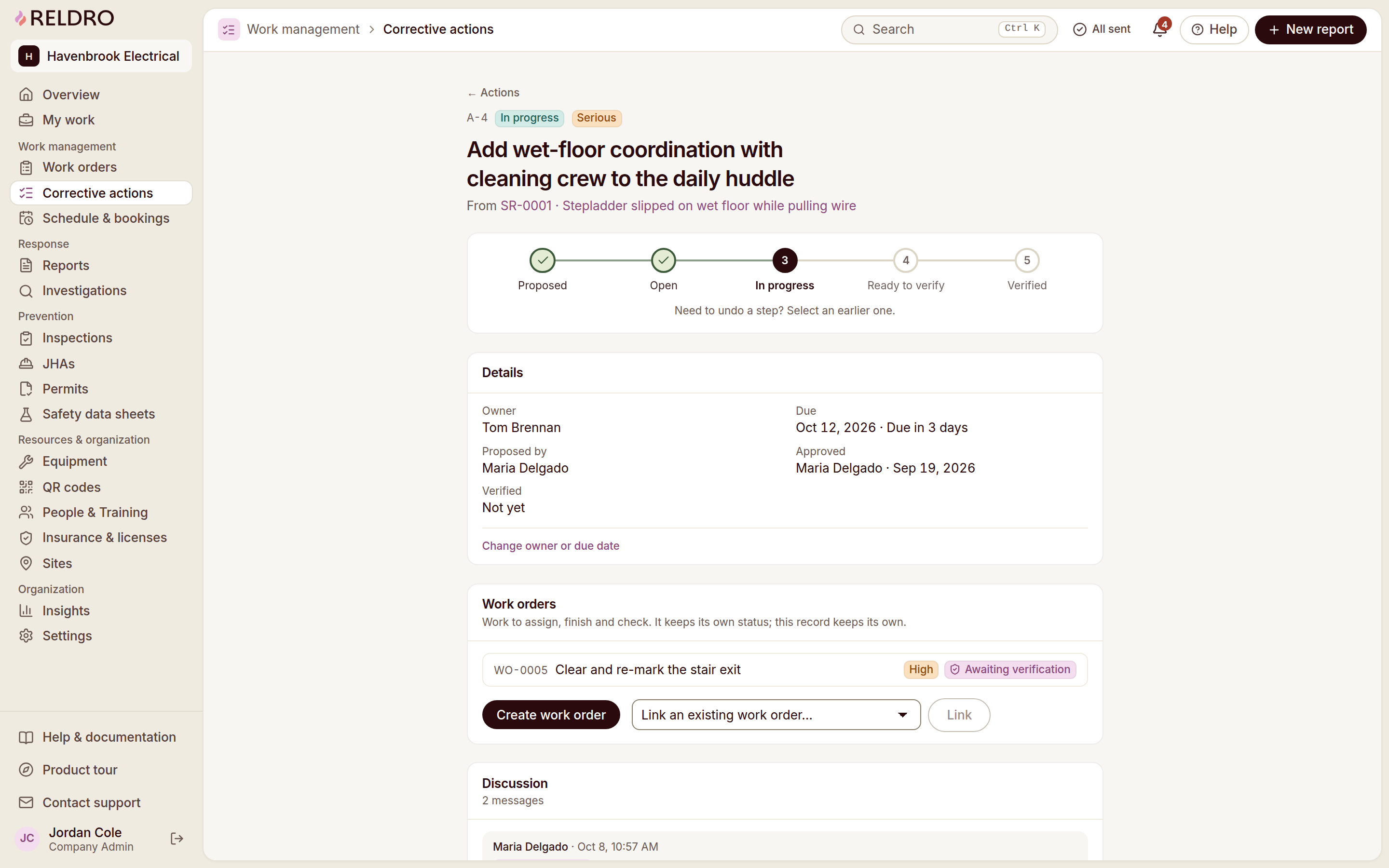
A safety concern or inspection finding can lead to several actions, each with a different owner or due date. Keep each action connected to the original record and describe the result expected. If the work needs an approved technical method, refer to that method rather than writing an improvised instruction into the action text.
Ask who will verify the result and what evidence is appropriate. A completion photo may demonstrate a visible change while leaving a hidden condition unanswered. The reviewer must choose evidence suited to the item, not accept the same attachment for every action.
When an action becomes overdue, record the blocker, current arrangements, revised decision and next owner. Do not erase the missed date or reset it without explanation. A dashboard looks orderly when dates keep moving, but the underlying exposure and ownership uncertainty may remain unchanged.
An example across two active projects
Illustrative administrative example: an electrical contractor sends a team to Site A for finishing work while another supervisor prepares Site B for a return visit. Site A's inspection identifies an access issue. Site B's assignment depends on a drawing clarification and an equipment booking.
The operations coordinator keeps the two sites separate. Site A's reviewer gives the access follow-up a named owner and records the next decision. Site B's supervisor retains the unresolved drawing question against the assignment rather than showing the visit as confirmed merely because a team is available.
At the office review, the questions are concrete: who is resolving access, who is answering the drawing question and which assignment can be confirmed? Nobody needs to read every unchanged checklist aloud. The records supply context, while authorized people decide the plan.
If the access issue is repeatedly recorded at A, review the recurring arrangement instead of closing identical cleanup tasks indefinitely. That is a program-improvement question, not a claim that software has discovered a root cause.
Standardize the minimum, not every site detail
Use consistent core fields for record identity, location, owner, due date, source and review. Then allow task- or project-specific content where it adds meaning. Two sites can share an action process while needing different inspection checklists or permit arrangements.
Keep the current document version visible, and retain the version used by earlier records. When a procedure changes, identify affected teams and assignments instead of silently replacing a shared file. A signature or completion should remain attached to the wording the person actually reviewed.
Test the process with the people who enter and read the records. A safety manager may find a company-wide register clear while a supervisor struggles to identify the right room from a phone. Both views matter; standardization that removes usable local context makes coordination harder.
Review exceptions with evidence, not just counts
A weekly review can start with unassigned findings, overdue actions, changed task plans, expiring documents and unresolved questions. Counts help you notice where to look. They do not establish the seriousness of an issue, the quality of a fix or the reason a team reports more observations than another.
Ask what changed and whether the process worked as intended. Could the worker find the current instruction? Did the reviewer receive the evidence? Was the action clear enough to complete? Were revised records communicated to the affected people? The answers suggest specific process improvements rather than a score to chase.
OSHA's program-evaluation guidance recommends checking implementation and making improvements. Apply that principle through your company's actual responsibilities and jurisdiction-specific requirements. Avoid claiming that a favorable dashboard proves compliance or predicts an absence of harm.
Pilot a connected workflow before expanding
Choose one site and follow one assignment, one check and one follow-up through the complete process. Have a teammate enter real information and a reviewer read it back. Check permissions, phone usability, language needs and low-connectivity behavior with representative people and materials.
Define success as a usable handover: the next person can identify the source, owner, decision and evidence. Do not make form counts your only activation measure. After the pilot, fix unclear fields and ownership before moving the setup to other projects.
Reldro offers a 14-day full-platform trial without a credit card. You can use it to evaluate the connected process, while keeping technical approvals and safety decisions with your responsible team. Treat sample workspace records as practice information, not evidence about a real site.
Decide which system holds the authoritative record
Your company may already use project software, a document store, email and a field-work tool. Before adding another platform, decide which record each system is intended to hold. Do not create two authoritative task lists with different owners and due dates simply because both applications can display a table.
For each handover, identify the source record, the reference carried into the next system and who updates it. If an inspection remains in one application and a work order in another, explain how the reviewer finds the original observation and how verified completion is recorded. A link can be useful; an unsupported claim that the systems synchronize everything is not.
Reldro's confirmed Procore import is file-based portfolio and directory import, not a live connection. If you use that setup route, review exported rows, duplicates and contracted site capacity. Do not imply that imported project names automatically carry task status, safety approvals or ongoing updates from another tool.
When information is manually copied, make the purpose and owner explicit. For a meeting summary, copied wording may be acceptable when the source remains available and the reporting period is clear. For a current assignment, duplicate status fields can create confusion about which instruction applies. Treat that as a process design question before turning on more features.
Use a weekly review agenda that ends in decisions
A short agenda can follow five questions: what changed in planned work, which concerns need a decision, which actions lack progress or verification, which requirements are expiring and which instructions need a new review? Bring the source records into the discussion rather than assemble an independent spreadsheet that loses their context.
Assign an owner for the outcome of each agenda item. A reviewer may decide that more evidence is needed, that an assignment remains provisional or that a change needs a competent technical review. Those are legitimate outcomes. A meeting does not have to close every item to be useful, but it should make the next step clearer.
Keep historical reporting distinct from live status. A presentation showing this week's meeting period may include a record whose status changed afterwards. Explain the difference when distributing a snapshot and retain the source link where appropriate. Do not infer the condition on a past day from today's green status.
After a few cycles, ask whether the agenda is revealing recurring ownership gaps or unnecessary duplicate records. Simplify the administrative process where that improves clarity, while retaining requirements identified by your responsible team. The point is an understandable decision trail, not a longer meeting or a more impressive dashboard.
Questions to settle with your team
Does construction safety software replace your safety program? No. It supports records and coordination within a program owned by people. Your applicable obligations, competent reviews and site procedures remain necessary.
Can one system handle several contractors and sites? Evaluate whether the tool retains each site's identity, appropriate access and separate review responsibilities. Do not assume that a company-wide list grants every participant access to every record.
Do you need a new form for every workflow? Not necessarily. Begin with a clear purpose and handover. Reuse consistent identity and review fields, then add detail only where it improves the decision.
What should you review first? Start with a real work record that currently loses context between field and office. Improving that handover is more informative than uploading every legacy document on day one.
The takeaway
Build the process around source records, named handovers and review decisions. Safety software supports the work; it does not replace your safety program or the people responsible for it.
Sources and further reading
- OSHA: worker participation
- OSHA: program evaluation and improvement
- Reldro: field work and safety platform
References for this article, published November 11, 2026. Product scope and requirements can change. Confirm details with the provider and your safety team. Guidance from a specific jurisdiction may not apply to your construction project.