
Connected teams
Construction document control: get drawing changes to the field
A practical document-control process for contractors: identify drawing revisions, record who needs the change and confirm the field handover.
By Reldro · · 4 min read
What does document control mean on a construction site?
Construction document control is the process of identifying, reviewing, distributing and retaining project information so people know which version applies to their work. A folder stores files. A document-control process also answers who issued them, what changed and which teams need to act.
Fieldwire's document-control guide covers versioning, distribution and access. For a contractor with several active sites, a useful starting point is narrower: follow one drawing change from receipt in the office to the person using it in the field.
The newest upload isn't automatically the approved instruction. Your project's issue status, approvals and contractual directions determine whether a document can be used. Keep those decisions visible rather than relying on a filename that says 'final'.
Start with a small, useful document register
Use the project's agreed naming convention where one exists. The register should help someone find and identify a document, not introduce a competing numbering system. Track these fields for the drawings your team uses:
- Project and document number, with a descriptive title and relevant discipline.
- Revision identifier, issue date and the issuer's stated purpose or status.
- Date received and the person responsible for reviewing its effect on your work.
- The controlled file location and reference to the issue or transmittal that supplied it.
- Affected areas, assignments and teams, including the person responsible for briefing them.
- Review and distribution status, plus the superseded version retained as history.
Follow the change through five decisions
First, identify what arrived. Match the project, document number, revision and issue status to the accompanying information. If the details conflict, ask the issuer before treating the file as an instruction.
Second, review what it affects. Your authorized project lead needs to decide whether the change alters planned work, completed work, materials, access or coordination with another trade. Document control records that decision; it doesn't make the technical decision itself.
Third, identify who needs the change. Name the supervisor and affected assignments, not just an entire company mailing list. Fourth, distribute the controlled reference and withdraw or clearly mark obsolete working copies under your project procedure. Fifth, confirm the handover with the people doing the work. A sent message tells you it was sent, not that the recipient understood the change.
Example: a mechanical drawing changes midweek
Consider a hypothetical fit-out where drawing M-210 moves from revision B to revision C. The office receives C while the field assignment still links to B. The practical question isn't 'did someone upload C?' It is 'who has reviewed the difference, and which work now needs a new instruction?'
The project lead checks the issued change, identifies the affected corridor and records the instruction for the mechanical supervisor. The supervisor checks the assignment's drawing link and briefs the affected team. If part of the installation is already complete, that fact becomes a separate review item rather than disappearing under the new file.
Keep the previous revision as history, clearly separate from the working reference. If a worker saved a copy for a low-connectivity area, include that copy in the handover check. A new office file doesn't update every printout or saved file by itself.
Link the drawing to the work it changes
A drawing register is useful, but the field team also needs the reference beside the task. When a change affects an open issue, an inspection or a work order, update the relevant reference and retain the reason for the update.
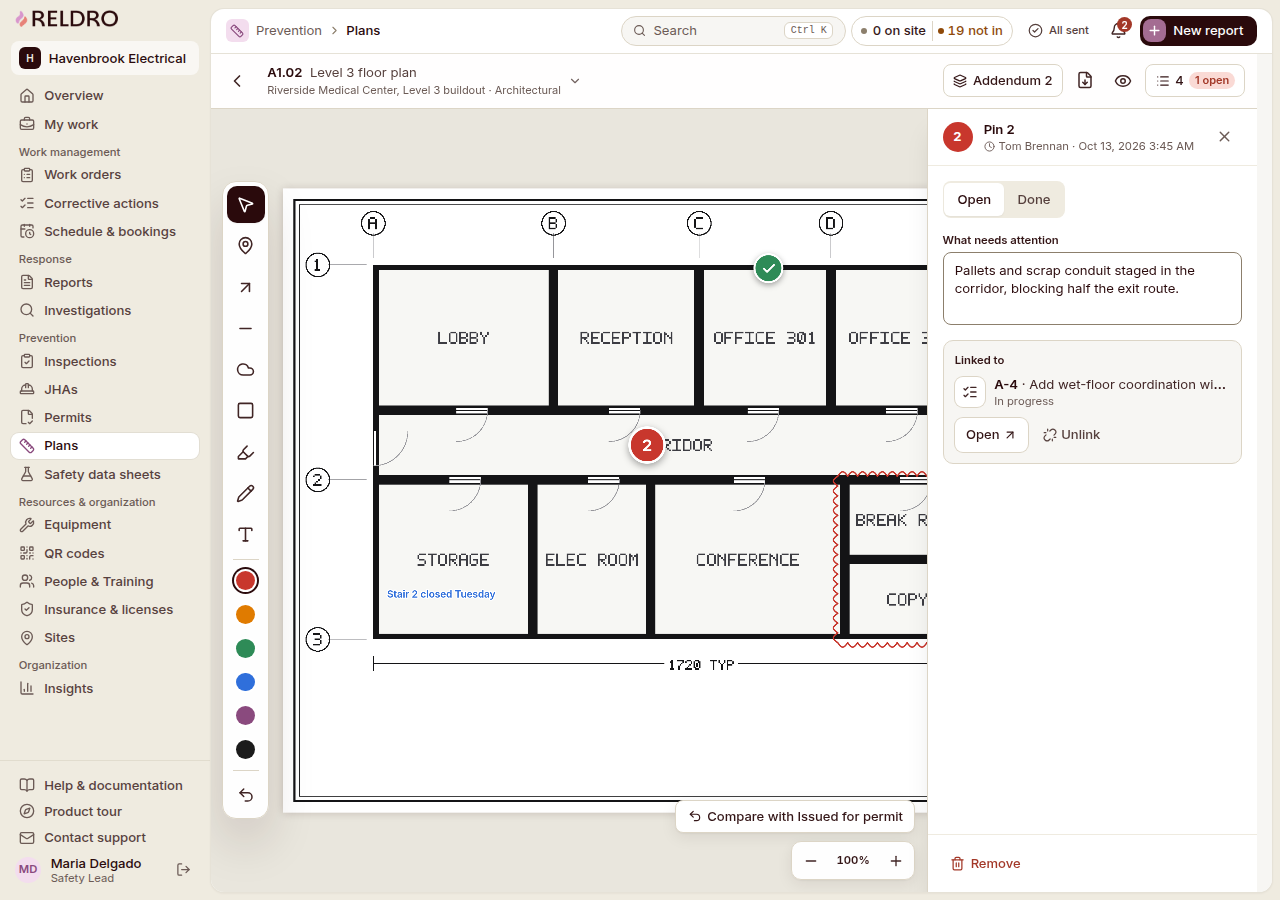
Reldro's interactive site plans support drawing markup, revision tracking, as-builts and forms tied to locations. Connect supports project conversations and announcements. Those workflows can help carry the reference and discussion, but they don't establish contract authority or automatically certify that every worker has understood an issued change.
Try the process on one changed drawing before applying it across every project. Ask a supervisor to find the current reference, explain the recorded instruction and identify where a question would go. The answer will show you which handover details are still missing.
The takeaway
A controlled drawing is more than a file with a revision number. Keep its issue status, review decision, affected work and field handover connected, while retaining the previous version as history.
Sources and further reading
References for this article, published November 8, 2026. Product scope and requirements can change. Confirm details with the provider and your safety team. Guidance from a specific jurisdiction may not apply to your construction project.