
Connected teams
Construction team communication: turn site messages into clear follow-up
Organize project conversations, announcements and field updates, then give unresolved work an owner without treating a message as a completed task.
By Reldro · · 4 min read
What makes construction team communication useful?
Construction team communication is the exchange of information people need to coordinate work across the field and office. A useful conversation makes the location, change, question and next owner clear. More messages do not necessarily mean better coordination.
For a contractor covering several sites, the practical challenge is keeping a quick field update from losing its context. Separate discussion from formal work records and technical instructions. The place you chat is not automatically the place an approval is recorded.
Give each conversation a clear purpose
Use project conversations for information that belongs to a particular site. Use topic channels for discussions that cross project boundaries, and announcements for company or project updates that need a clear published message. Direct messages can resolve an individual question, but important shared context should not remain only in a private exchange.
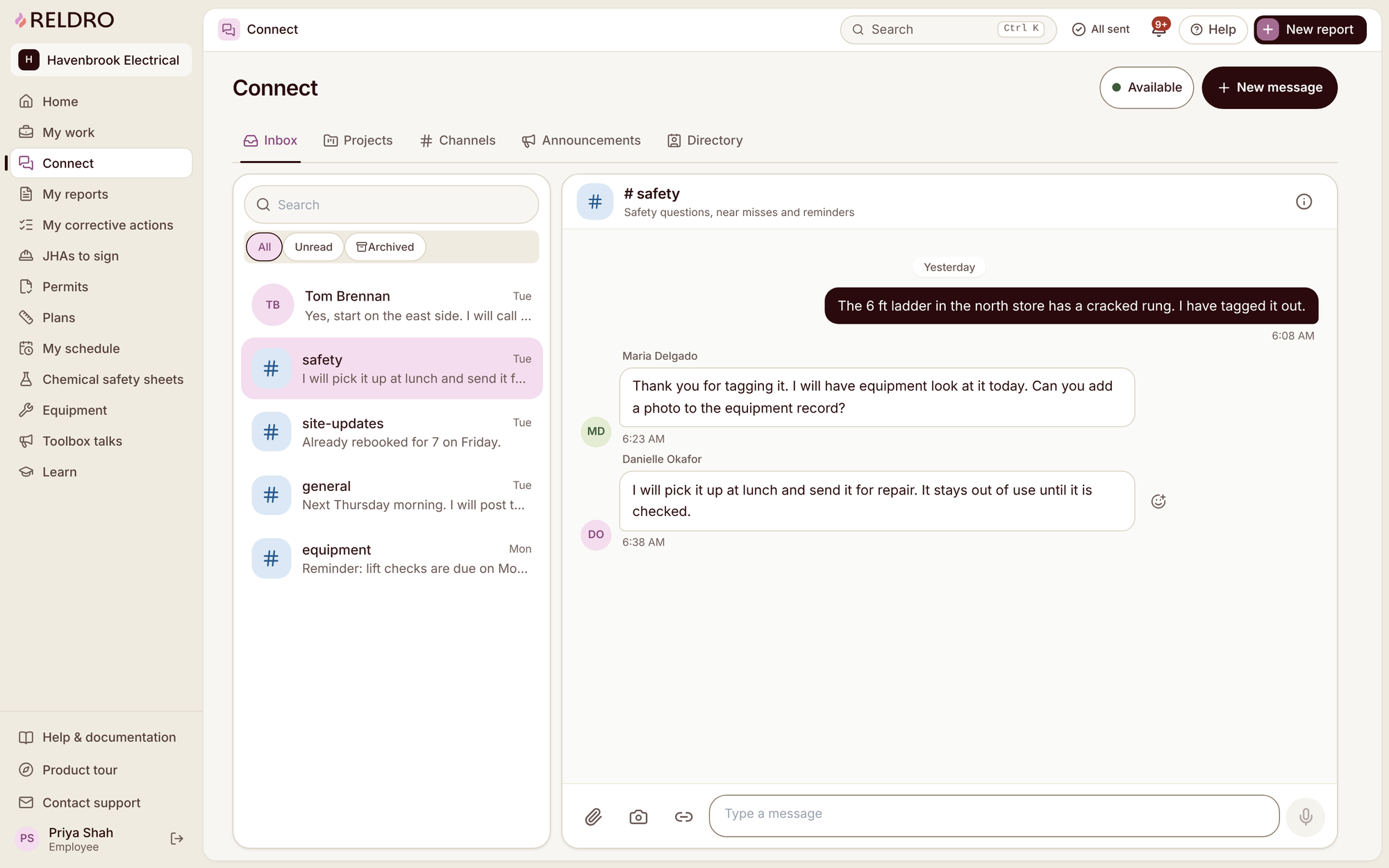
Reldro Connect brings direct messages, project conversations, channels, announcements and a company directory into one inbox. All, Unread and Archived filters and search help people find the relevant exchange. Define who owns each channel and what belongs there before inviting every employee.
Write the update the next person needs
An update like 'still waiting' is hard to act on after a shift change. Name the site and area, describe the observed change, link the relevant record and state the question. If a response is needed by a particular time, say why that time matters rather than calling every message urgent.
Connect supports attachments, camera photos, links and voice messages. A photo benefits from a short location description, while a voice message may still need a concise written follow-up. Do not rely on a reaction, availability status or an unread filter to prove somebody accepted responsibility.
An example of an access question
Illustrative example: an electrical supervisor posts that rooms 205 and 206 remain inaccessible for tomorrow's planned finishing visit. The message names the project, links the assignment and asks the coordinator to confirm access before the team travels.
The coordinator replies that confirmation is pending and owns the next check with the site manager. If the work order needs a changed date or scope, the responsible person updates that record as well. A message saying 'move it to Thursday' should not leave the assigned task showing Wednesday.
Keep the conversation as context and the reviewed assignment as the work record. That gives tomorrow's supervisor an answer without requiring them to reconstruct the plan from dozens of replies.
Turn discussion into owned work
Before a conversation ends, identify what remains unresolved, who owns it and where the outcome will be recorded. For routine follow-up, create or update the relevant work order or corrective action through your company's process. For a safety concern requiring an immediate response, follow the site's escalation or emergency arrangements instead of waiting in a chat queue.
When enabled by your admin, Reldro AI can draft a work order from a selected Connect message. Review its site, description, owner and scope before selecting Create. It is an AI-assisted draft; nothing is created simply because the message exists.
Catch up without mistaking a summary for evidence
A conversation summary can help a returning supervisor find key updates, decisions and open questions. Check it against the original exchange before acting. A summary may omit a qualification or make an unresolved point sound settled.
Connect conversation summaries are optional Reldro AI drafts, not automatic instructions or task creation. If the source messages disagree, preserve the uncertainty and ask the responsible person. Do not let neat wording substitute for an actual decision.
Keep communication accessible across your team
Set expectations for checking ordinary updates and for handling urgent concerns separately. Consider people away from work, low-connectivity areas and those who need a different reading language. A posted announcement is not proof of receipt or understanding.
Reldro supports company and worker language preferences. Optional content translation shows the original alongside the translation, and translated safety instructions remain marked not reviewed until a person checks them. Confirm the meaning of important instructions through the appropriate supervisor.
Test one conversation through its outcome
Try this with one project question: post it with a specific location, agree an owner, update the relevant work record and have another teammate find the final outcome. If the answer is still hidden in a private thread, fix that handover before expanding the channel structure.
The takeaway
Keep the conversation, the decision and the work record connected but distinct. An update becomes useful follow-up when the next owner and reviewed outcome are clear.
Sources and further reading
References for this article, published November 11, 2026. Product scope and requirements can change. Confirm details with the provider and your safety team. Guidance from a specific jurisdiction may not apply to your construction project.