
Connected teams
Construction training software: connect learning to assigned work
Evaluate construction training software with a practical workflow for course review, phone access, assignments, knowledge checks and task readiness.
By Reldro · · 4 min read
What should construction training software help you do?
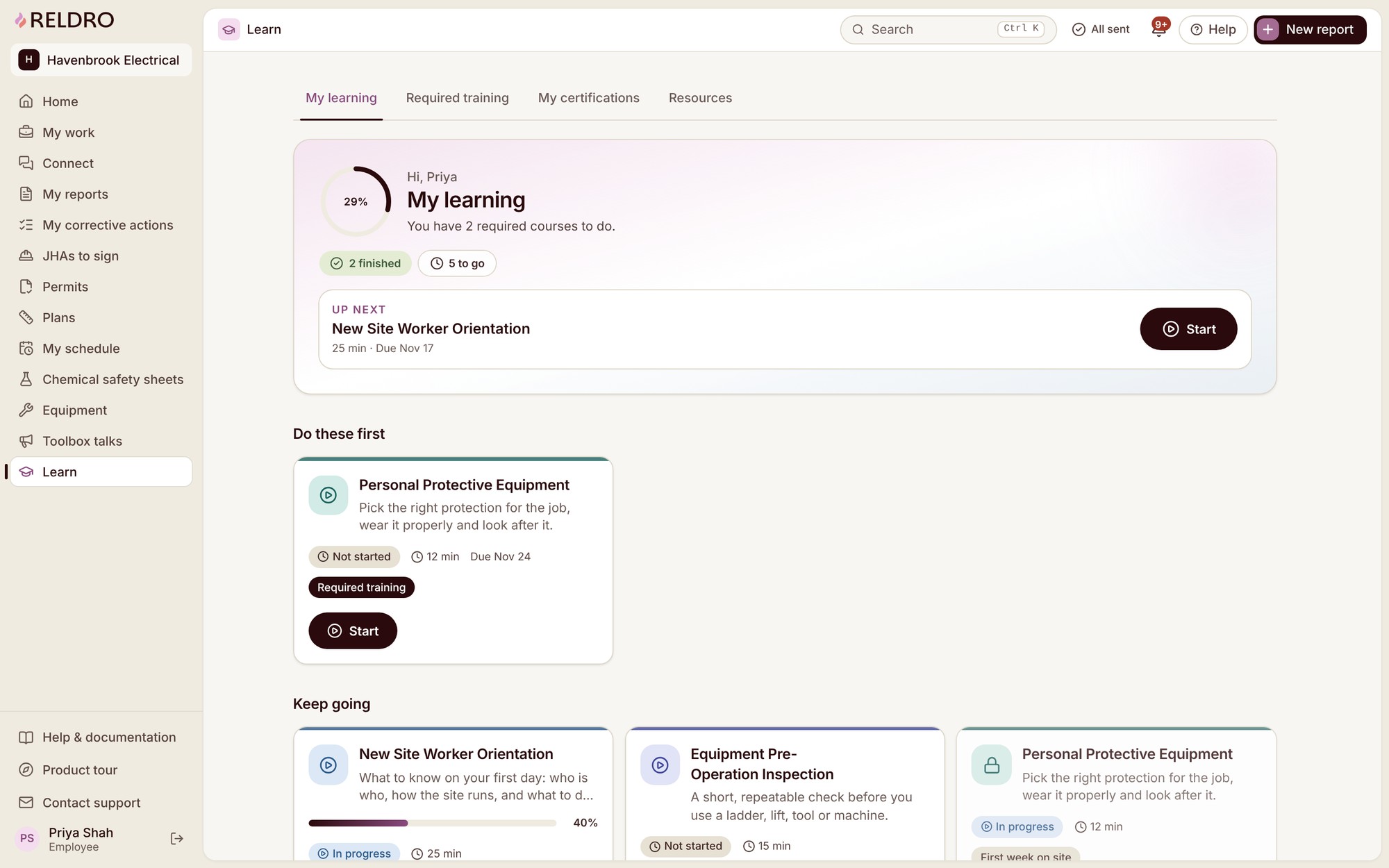
Construction training software helps you create and assign learning, track completion and find the records relevant to upcoming work. For contractors moving teams between projects, the useful question is not just who finished a course. It is whether the responsible supervisor can find the right training requirement beside the assignment.
A learning record, an external qualification and permission to do a task are different things. Keep those distinctions visible when choosing software. This guide explains an administrative workflow, not a method for certifying competence or approving specialist work.
Start with one upcoming assignment
Choose a real task your company already manages and identify its reviewed procedure, intended audience and training owner. Ask what a worker needs to know before the task, what the supervisor needs to check and where unresolved questions go. Avoid uploading your entire document folder before deciding who will use it.
Write down the source document and version. If different sites use different arrangements, make that scope explicit. A course called site orientation is hard to review when nobody knows which project or procedure it describes.
Build the course around a usable source
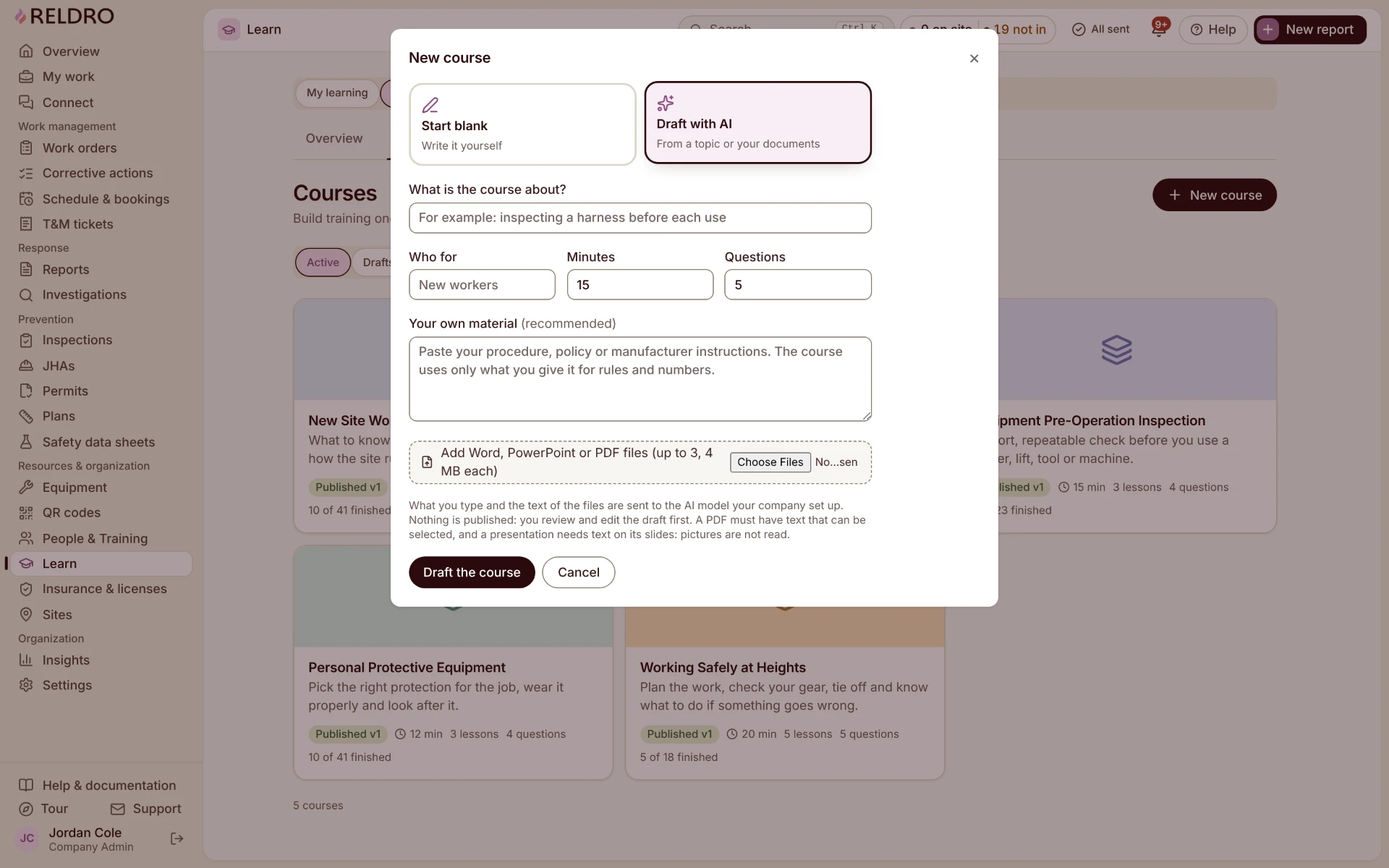
Reldro Learn supports manual course creation and reviewable AI course drafts from your materials. Start with the approved content, organize it into lessons and add questions that help identify misunderstandings. An admin reviews and publishes the course before workers receive it.
Uploading a manual does not make the resulting course accurate. Check that the draft preserves warnings, exceptions and terminology rather than compressing them into a misleading summary. Keep specialist interpretation with the people qualified to review the subject.
Assign learning without losing the site context
Assign the course to the appropriate people, teams or projects, with a due date that fits the work plan. Learn supports mandatory, optional and recurring assignments, learning paths, assessments and completion records. Choose the configuration through your company's training process rather than treating every course as the same kind of requirement.
Training requirements can be attached to JHAs, work orders, equipment, inspections, safety concerns, corrective actions and permits. Informational, required and blocking requirements serve different purposes. The responsible administrator should decide which applies; a blocking setting is not a substitute for checking the underlying requirement.
An example for a contractor joining another site
Illustrative example: a mechanical team is due to attend a new fit-out project. The coordinator assigns the reviewed project orientation to the named team and links the training requirement to the upcoming work. The supervisor checks the correct course version and any separate qualifications before confirming readiness.
One worker cannot answer where updated assignments are found. The supervisor explains the process, provides another opportunity to ask questions and records the follow-up actually completed. Marking the first attempt complete simply to remove an overdue item would conceal the gap.
If the team moves again next week, retain the first site's completion record instead of renaming it as the second site's orientation. Assign the relevant new material and leave both records understandable.
Test the field and office experience together
Use one ordinary phone and a supervisor's desktop during evaluation. Can the worker find the assignment, open the lesson and raise a question? Can the office find the completion record, course version and unresolved requirement? Test with representative materials rather than an empty demonstration course.
- Confirm the course audience, source version and responsible reviewer.
- Check phone readability, language needs and the route for unanswered questions.
- Distinguish course completion from external qualifications and task authorization.
- Review renewals and changed procedures without overwriting historical records.
- Confirm which requirement follows the work and who decides it has been met.
What if your team reads different languages?
Ask workers which language and format they understand rather than guessing from their background. Reldro supports seven product languages, but an interface preference does not prove a technical document has been correctly translated. Keep the original available, review safety-critical meaning and use appropriate understanding checks.
Learn also supports questions grounded in published training through Ask Reldro AI, with lesson references. Review the source and involve the supervisor where the answer is unclear. A generated answer is not an authorization to proceed.
Try one complete training handover
Start with one site, one reviewed course and one assignment. Have a teammate complete the learning and a supervisor read the record back. The point is to discover missing context before applying the setup across your company, not to count how many files you uploaded.
The takeaway
Choose software by following a reviewed training requirement from assignment to completion and supervisor review. Completion records support task readiness; people still own qualifications and authorization.
Sources and further reading
References for this article, published November 11, 2026. Product scope and requirements can change. Confirm details with the provider and your safety team. Guidance from a specific jurisdiction may not apply to your construction project.