
Operations
Keep daily work moving and jobsite records connected.
Coordinate your crews, daily work and safety follow-up across jobsites, from assigned tasks and equipment checks to permits and company records. Your field teams know what needs doing, while you see progress, outstanding work and the paperwork each job needs.
Request a demo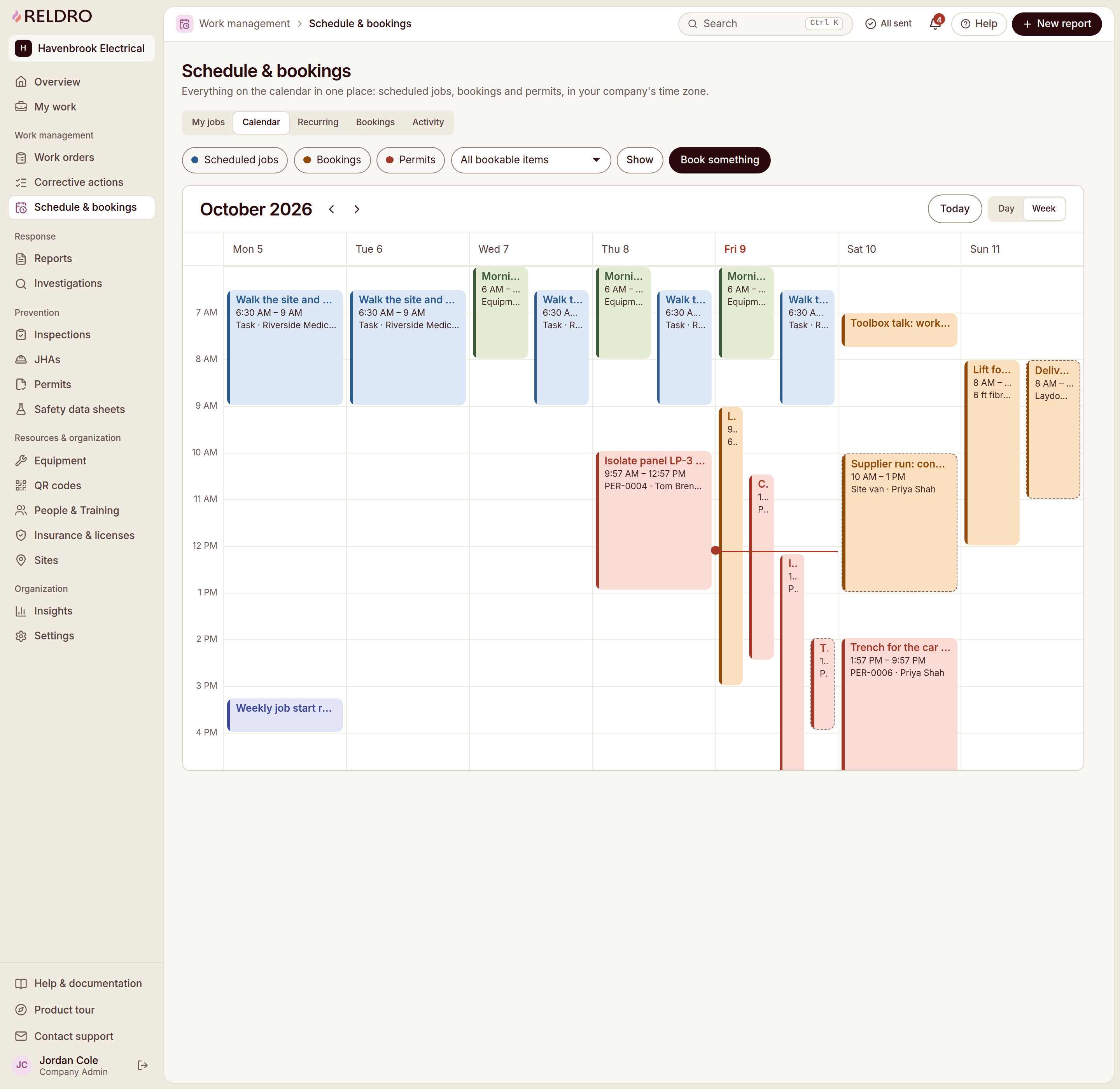
What your crews need
Keep your crews, paperwork and follow-up connected.
Daily priorities across jobsites
Keep schedules, assigned tasks and work areas in view so your foremen and crews know what needs doing today.
Equipment ready for the work
Review equipment bookings and inspection records alongside planned work, and assign follow-up when a check raises a concern.
Field and office handoffs
Keep instructions, photos and due dates with each assignment so your office can review progress without losing the job context.
Safety follow-up with an owner
Coordinate with your safety manager on permits, JHAs and corrective actions, with a named owner and a due date for each fix.
Company paperwork in view
Track your insurance, licenses and method statements, and see which records your GCs still need or which documents are expiring.
Changes you can follow
Review updated plans, recorded completions and outstanding actions across the jobsites your crews cover.
How it works
A day on site with your crews.
- 1
Plan the day
Review scheduled work, equipment bookings and task plans with your foremen before crews start.
- 2
Assign the work
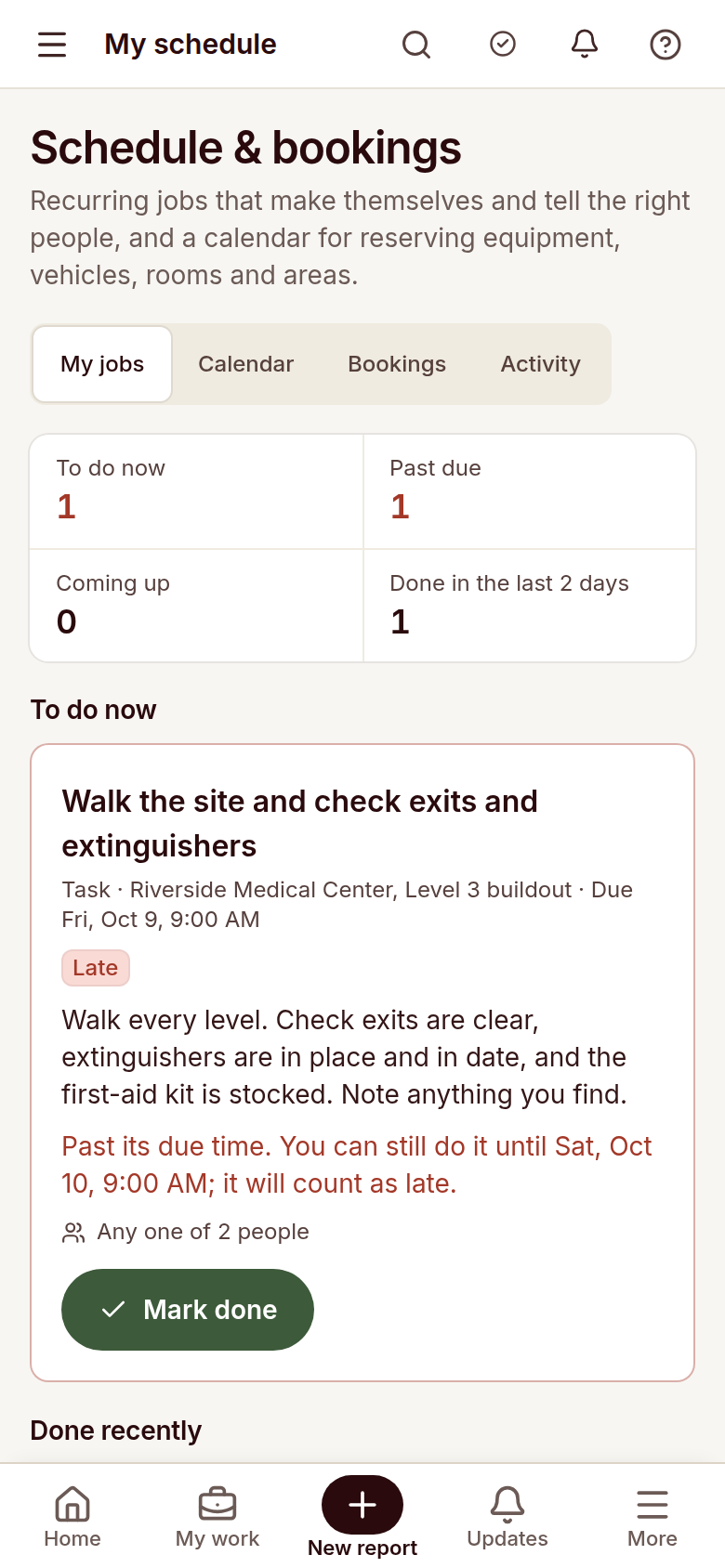
Give each job an owner, instructions and a due date so crews can open their assignments on a phone.
- 3
Review field updates
Check reported concerns, completed tasks and inspection findings, then coordinate the next step with your safety manager.
- 4
Follow through
Track overdue work, review completion evidence and keep supporting paperwork tied to the job.

Relevant features
Relevant workflows for operations.
Site operations
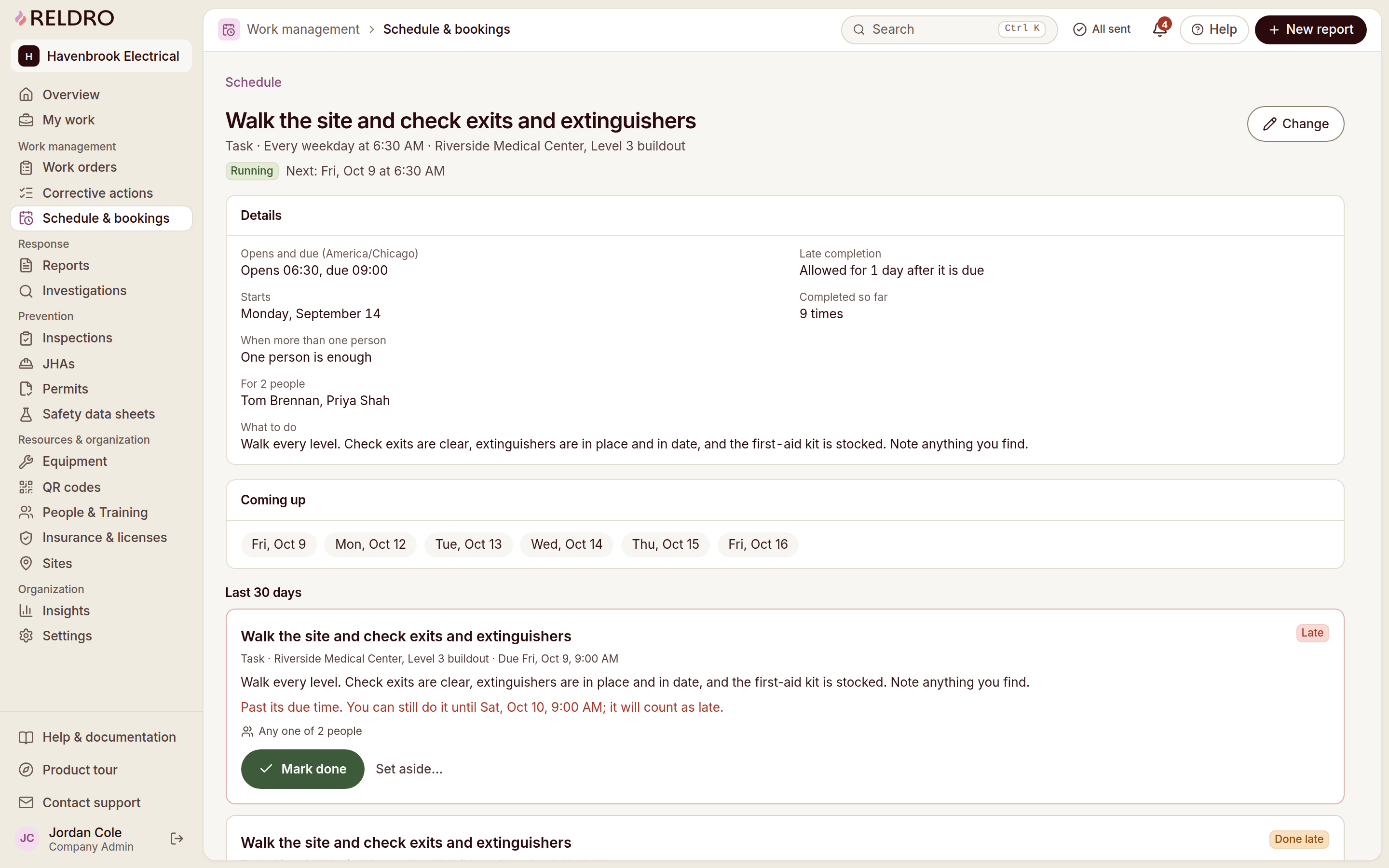
See the week in your company time zone: scheduled jobs, recurring checks, permits and bookings for shared equipment, vehicles or work areas. Crews open the jobs due to them, and late or missed runs are flagged.
Equipment and assets
Keep your register, QR labels, pre-use checks and service dates in one place. A scan opens the item’s status before anyone uses it, and a failed check tags it out until someone records the return to service.
Interactive site plans
View and mark up drawings on any device, track revisions, capture as-builts, and submit digital forms for reports, inspections, and RFIs.
Site check-in and headcount
Crews and visitors check in with a QR code or gate code, giving the office a live view of who’s on site, who’s missing, and who has arrived.
Corrective actions / CAPA
Turn a report, an inspection finding or a failed equipment check into an action with an owner and a due date. Progress, photos and the final review stay on the record, so nothing closes on a verbal.
Contractor management
Track insurance, licenses, and method statements for your company and contractors, with clear visibility into what’s current, expiring, or missing.
Insights
Compare response times, overdue actions, inspection completion and certifications across sites, then open the records behind any number. The measure tells you where to look, and people decide what it means.
Offline and sync
Access saved pages and complete reports, checks, tasks, and JHA signatures offline, with work syncing automatically once the connection returns.
Questions
Questions from operations.
- How does Reldro support operations managers at contractors?
- You can coordinate scheduled work, crew assignments, equipment bookings and jobsite follow-up while keeping company records available for the GCs you work with.
- Can operations and safety managers work from the same records?
- Your operations and safety managers can review the same task plans, equipment checks, field reports and assigned actions, with supporting records tied to the job.
- Can I review work across multiple jobsites?
- You can review site activity, inspection completion and outstanding actions across your active sites, with the underlying records available for follow-up.
- Can crews record work without a connection?
- Crews can access saved pages and complete reports, checks, tasks and JHA signatures offline. Pending work syncs when the connection returns.