
Connected teams
Safety reporting on remote construction work fronts
Keep your crews’ reporting records clear on remote civil works, energy jobs and deep building basements. Distinguish a report saved on a device from one your safety manager has received after a connection returns.
By Reldro · · 2 min read
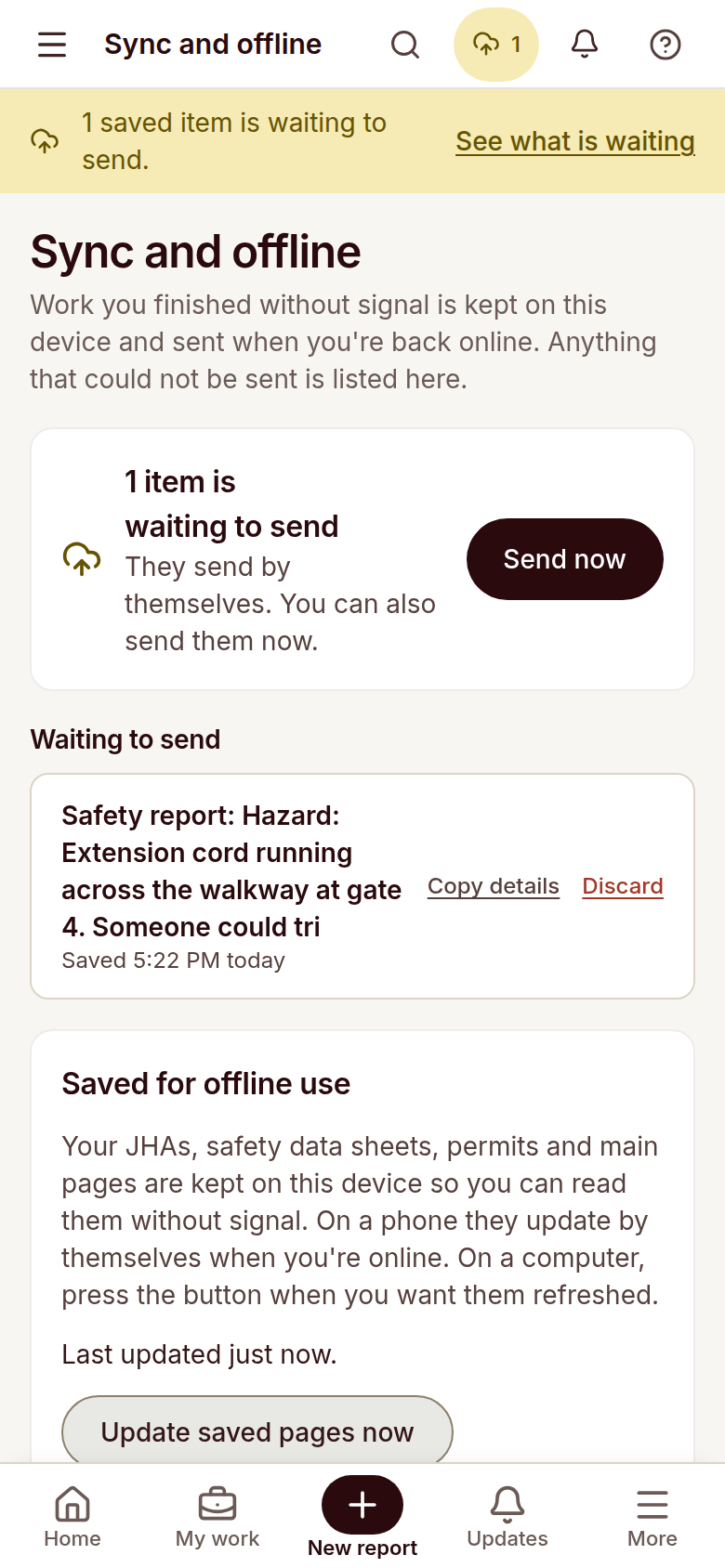
Saved does not mean received
Civil works, remote energy projects and deep building basements can interrupt connectivity. A report saved on a device has not necessarily reached the safety team. Crews need to distinguish local saving from confirmed delivery after a connection returns.
Agree the urgent communication procedure
Before work begins, confirm how crews contact the responsible site lead about urgent concerns. An offline reporting tool is not an emergency service and a queued report should not delay the actions required by the project’s response procedure.
Check delivery after reconnecting
Capture the project, exact work front and observed condition where safe to do so. Read the pending status and check that the saved report has sent when connectivity returns. Supervisors should confirm the record is available to the team rather than assuming delivery.
Test with the actual crew
Try the reporting workflow at the planned construction location and review which tasks are available offline. Confirm that users understand pending-delivery warnings and the separate communication arrangements. Use the results to refine the project rollout.
- Exact construction work front
- Local save and pending status
- Urgent contact arrangements
- Confirmed delivery after reconnecting
The takeaway
Keep construction context, records and responsibility together. Have competent people review the work and confirm the follow-up before relying on a status.